
Valorant: Too Much FPS Ruins Client Tickrate - Desync Packet Rate Problem
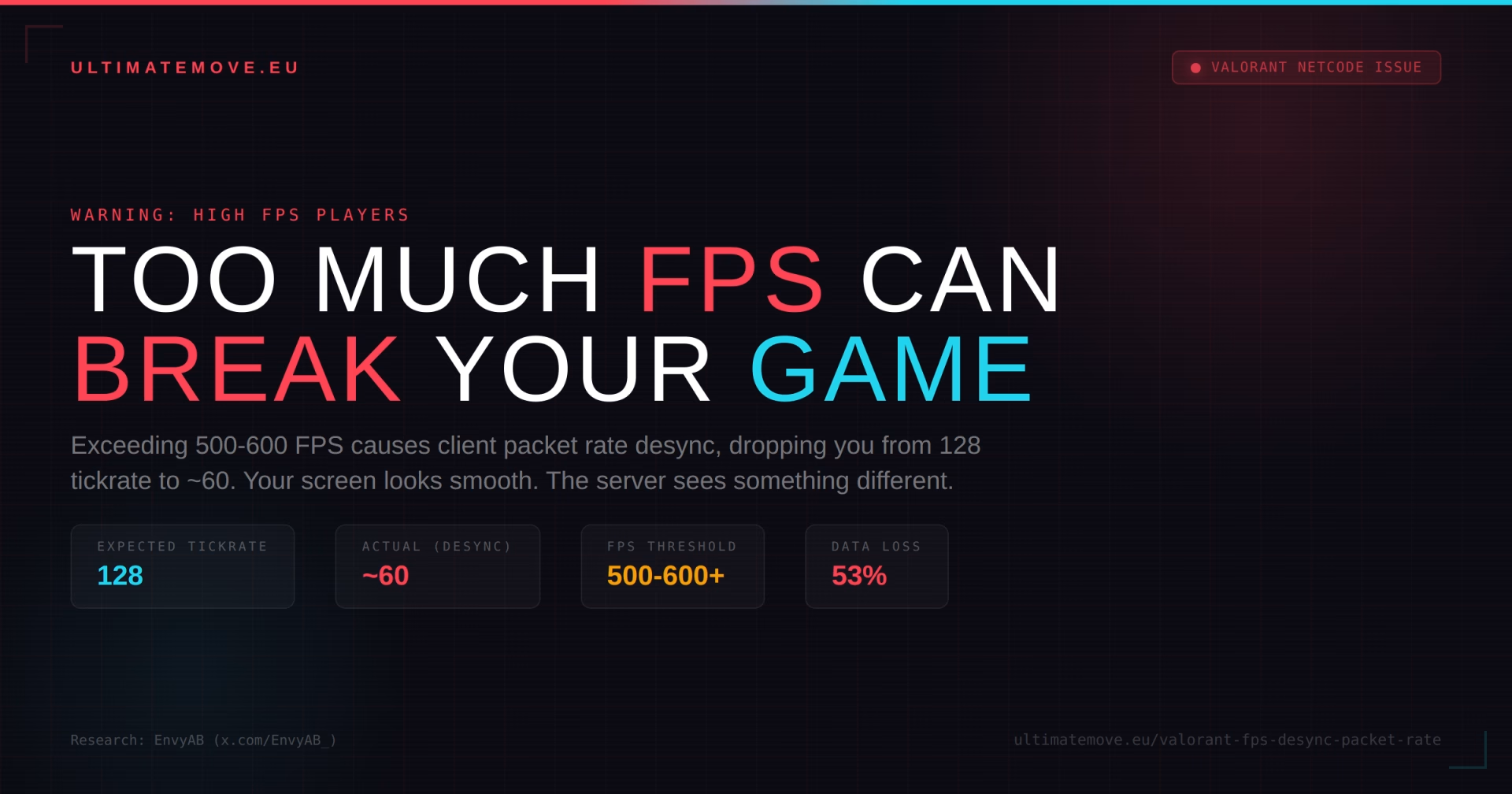
Sounds absurd, right? "Too much FPS" as a problem. We have been told for years that more frames equals better. You buy a better GPU, a faster CPU, optimize your system - all to squeeze out as many frames as possible. And now it turns out that exceeding 500-600 FPS in Valorant can actively make your gameplay worse.
Many people still mock optimization, searching for tweaks, various ways to reduce input lag and so on... Today this is not a myth. This is not a "feeling." This is a measurable, reproducible client packet rate issue that causes your computer to lose synchronization with the server.
What Is the Problem?
Valorant runs on 128-tick servers. Your client (the game on your PC) sends and receives data to and from the server at a specific frequency - the SEND rate and RECEIVE rate. In a perfect world, both of these sit at a stable 128.
The problem appears when FPS exceeds a certain threshold (typically 500-600+). Valorant's engine starts reducing the client's packet rate. Instead of sending and receiving data 128 times per second, your client begins to fluctuate - dropping to an average of roughly 60, jumping back up, dropping again, or maintaining a steady average value.
What this means in practice:
Your first game after launching the client typically works perfectly - send and receive rates hold steady at 128.
Second game onward - the engine starts reducing packets. You might think "ok, that is a small difference." But it is a MASSIVE difference.
When your receive rate drops below 128, you are not getting server data in real-time. The server knows where the enemy player is. Your client does not. A delay forms that causes:
Holding angles becomes extremely difficult - the enemy sees you a fraction of a second before you see them, because your client is not synchronized with the server, giving you the feeling of playing against gods of the game (ferrari peek).
Headshots register as wall shots (or do not register at all) - on your screen you are aiming at their head, but the server sees the enemy in a different position than you do.
"Insta-heads" - you feel like you barely saw someone and they already headshot you. Because they actually saw you earlier - your client just did not receive that information in time.
There is currently a situation of real advantage when someone has just launched the game - they play their first match while you have already played several, and you do not even realize how big of an advantage your opponent has. An absurd situation.
Who Discovered This?
The issue was brought to light by EnvyAB. In his YouTube video, he shows detailed packet rate data, demonstrating how a stable 128 SEND/RECEIVE in the first match degrades in subsequent games at high FPS.
Source: youtube.com/watch?v=v0ynZXNGADc (EnvyAB) Twitter/X: x.com/EnvyAB_
Players on the Blur Busters forums describe similar symptoms: very high FPS in Valorant with no frame drops, yet the game feels less responsive.
We connect to your PC remotely, save a restore point, then work through power, drivers and input. The BIOS we go through together on a Discord call while you show us the screen with your phone. The same benchmark at the end shows how much of it landed. For six months after the session we stay with you on Discord.
How to Fix It?
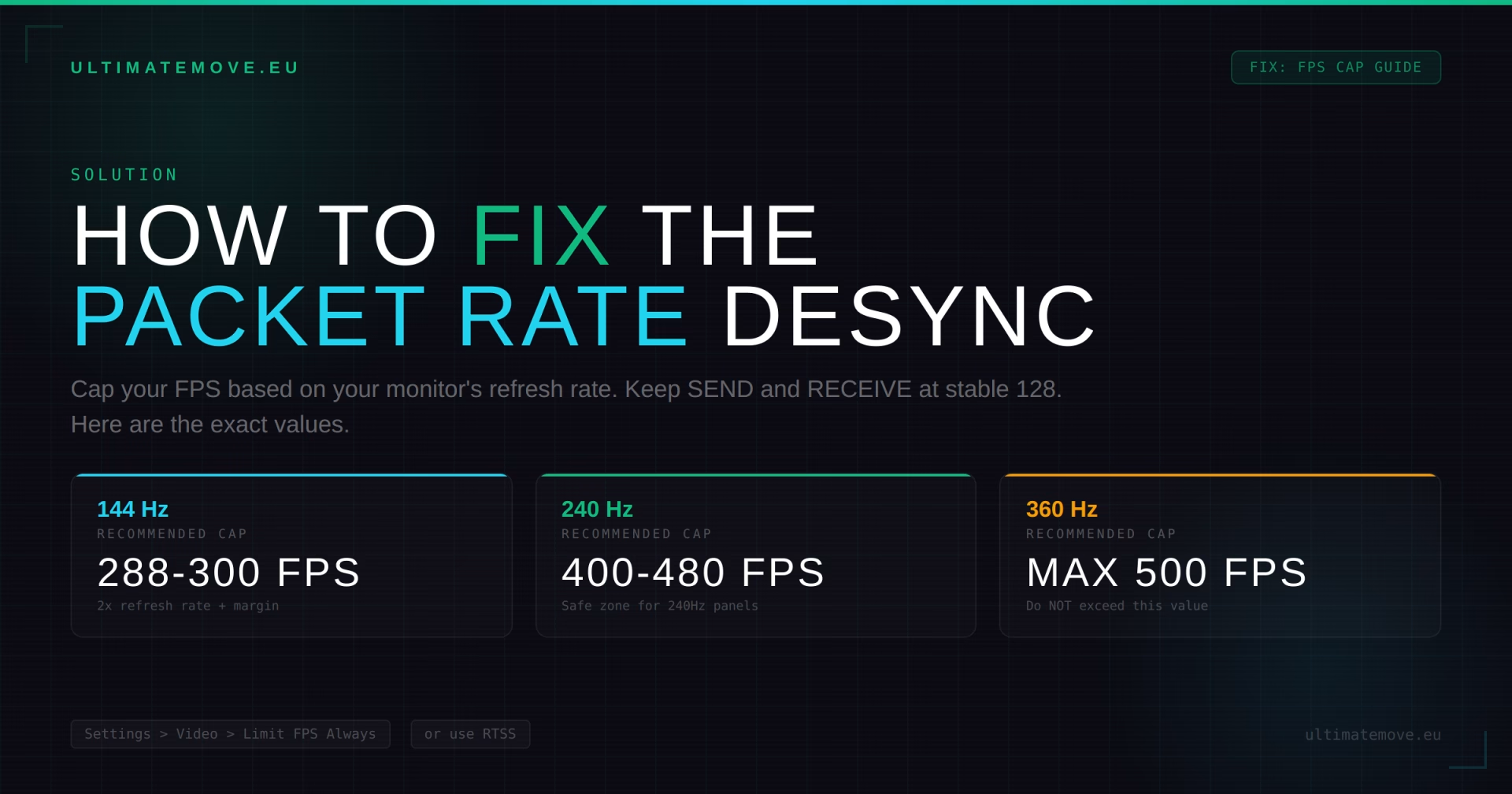
Cap your FPS in Valorant. This is the simplest and most effective solution.
Recommended FPS cap: Set the limit based on your monitor's refresh rate:
- Monitor 144Hz -> cap at 288-300 FPS (double the refresh rate plus margin)
- Monitor 240Hz -> cap at 400-480 FPS (a value specific to Valorant's network behavior; the general “refresh rate minus 3” rule in the settings guide serves a different purpose)
- Monitor 360Hz+ -> cap at 500 FPS (NOT MORE)
How to set an FPS cap in Valorant:
- Go to Settings > Video > General
- Find "Limit FPS Always" and set the appropriate value
- Alternatively: use RTSS (RivaTuner Statistics Server) for a more precise frame limiter
Additional steps:
- Monitor Network Round Trip Time, Packet Loss, Server Tick Rate and Client FPS in-game (Settings > Video > Stats). The menu does not show send/receive packet rate
- If you see fluctuations below 128, lower your FPS cap
- Restart the Valorant client between sessions if you notice degradation
In-game monitoring commands:
- Enable "Network Round Trip Time" and "Incoming/Outgoing Packet Loss" in the stats settings
- Watch whether SEND and RECEIVE hold at 128
Why Hasn't Riot Fixed This?
Riot is aware of the issue. In Patch 3.10 (2021), they fixed a bug where "players with over 128 FPS experienced packet loss." But the problem returned in newer versions - or was never fully resolved for extremely high FPS values.
Riot likely assumes "nobody needs 600+ FPS" - but with each hardware generation, more and more players are crossing that threshold naturally, not to mention monitors aiming for 1000Hz+ in the future.
Who Does This Affect?
If you have a powerful PC and you play Valorant without an FPS cap up to 500 - there is a good chance this problem is affecting you right now and you do not even know it. The symptoms are subtle: the game looks smooth, there are no stutters, ping is low. It just feels like "hit reg is weird" and "I feel slower than my opponent."
If you have ever had the feeling that "my first game of the day is great and then it gets worse and worse" - that might not be tilt. That might be packet rate degradation.
So what you need?
Too much FPS in Valorant (500-600+) can cause client packet rate desync, resulting in dropping out of tickrate 128 with fluctuations averaging around 60. This means less data, a less current picture of the actual situation on the server, and real degradation of hit reg, peeks and overall game responsiveness.
The fix is simple: cap your FPS. Monitor your packet rate. If SEND and RECEIVE drop below 128, your cap is too high.
Having problems with FPS, stuttering, or optimization? Our PC Optimization service covers exactly these cases. If you want to talk about settings - come to Discord or stream.
 KaRzye
Runs the research and every session at UltimateMove. FACEIT Level 10 in CS2,
Immortal in Valorant. Twenty years in BIOS, memory and drivers.
Watch him play.
KaRzye
Runs the research and every session at UltimateMove. FACEIT Level 10 in CS2,
Immortal in Valorant. Twenty years in BIOS, memory and drivers.
Watch him play.
Our free tools
Built in house. No account, no limits.
 Ultimate Demo Analyzer
Upload a CS2 demo and get your mistakes and round stats written out.
Free, no account Deadlock Replay Analyzer
The same for Deadlock: a replay breakdown and a plan for the next matches.
Free, no account Sensitivity Converter
Carry your cm/360 between games without losing muscle memory.
Free, no account Aim Trainer
Thirty seconds, three levels. No install, no account.
Free, no accountKeep reading
 Gaming Research
Intel APX in Windows 11: what the new toggle does and when it speeds up games
2026-10-26·4 min read Gaming Research
Intel or AMD for gaming in 2027: buy now or wait for Nova Lake and Zen 6
2026-10-26·4 min read Gaming Research


