
Gaming PC optimization service, measured before and after.
Gaming PC optimization service, run live by a technician on your screen. You see the before and after before we hang up. Pick a package and book a slot.
A backup before every change Safe with every anti-cheat Everything reversible
PC repair
It stutters, crashes, overheats, or an update pushed your input lag up. First we find the real cause.
- Diagnosis of the cause, not the symptom
- Repair included for the common problems
- A clear answer if the hardware is at fault
- No full optimization
- No hardware layer
Windows 11 optimization
Windows 11 and 10. The whole software layer: system, drivers, GPU panel, network, mouse.
- Before and after measured on your games
- Backup and a restore point
- Windows, drivers, background processes, power plan
- Nvidia/AMD panel, network tuned for consistent hitreg
- Six months of support on Discord
- No BIOS, OC or RAM tuning
Ultimate optimization
The whole chain, from BIOS to network. This is where the biggest jumps in 1% lows come from.
- Everything in the Windows 11 package
- BIOS/UEFI, memory profiles and timings
- Safe CPU, GPU and memory OC
- Manual RAM tuning beyond factory values
- PCIe lane and mode verification
- Stability tests before we close the session
Not sure which one? Run the free scan on Discord or write to info@ultimatemove.eu.
What you get out of it.
More frames per second in the games you actually play, without buying new parts.
The drops that land mid-fight cost you rounds. An average taken in the menu costs nothing.
The gap between your hand and the screen shrinks. Your aim starts to obey.
Windows stops dragging in the background while you play, stream or record.
Windows updates can undo some of the settings, so you write on Discord and we sort it out.
Check the frames before and after with your own tool or the in-game counter, with us there. We do not hide behind our own benchmarks.
Our clients' results.
Screenshots straight from sessions. The same hardware before and after, the same games and settings.
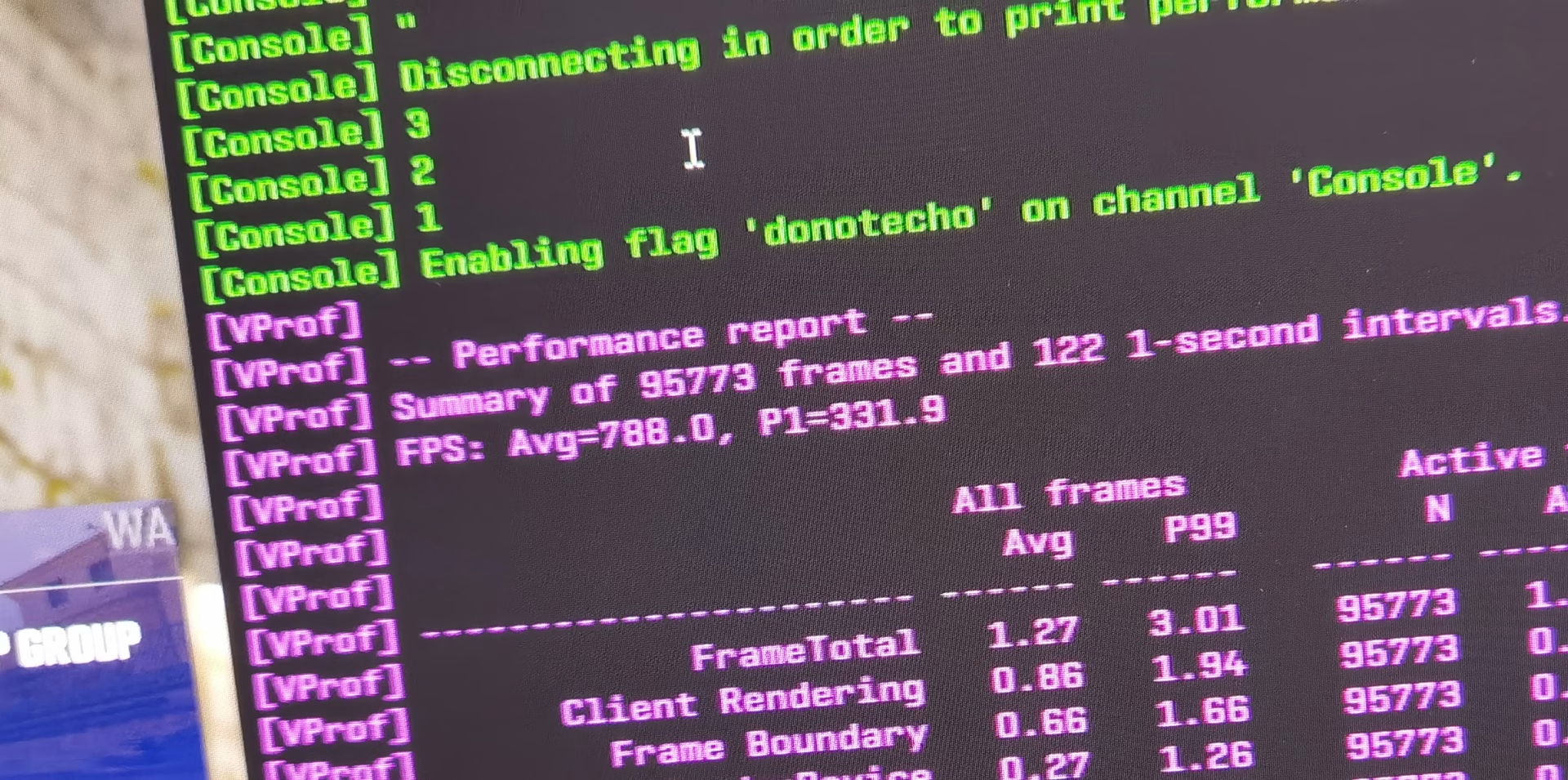
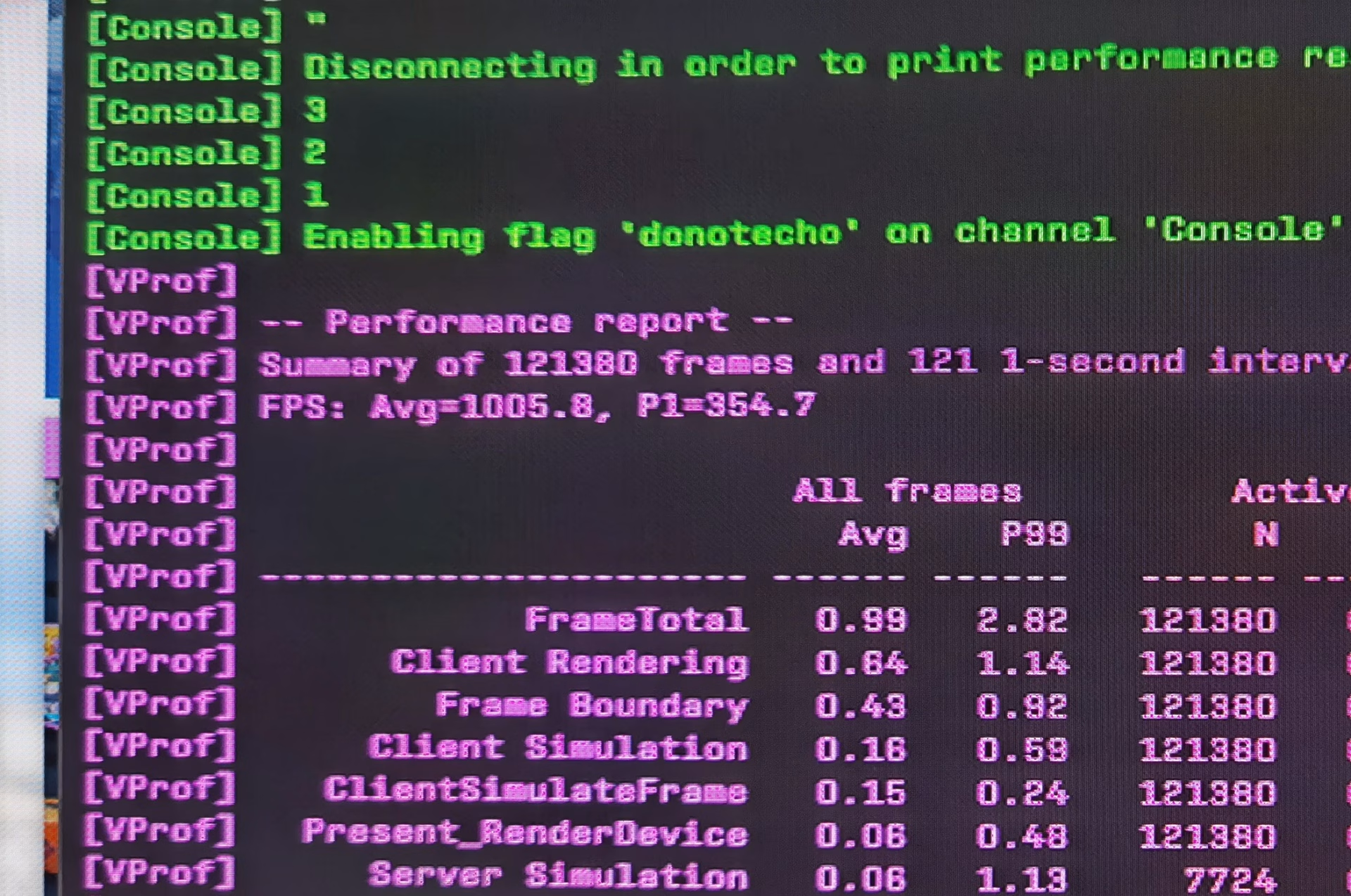
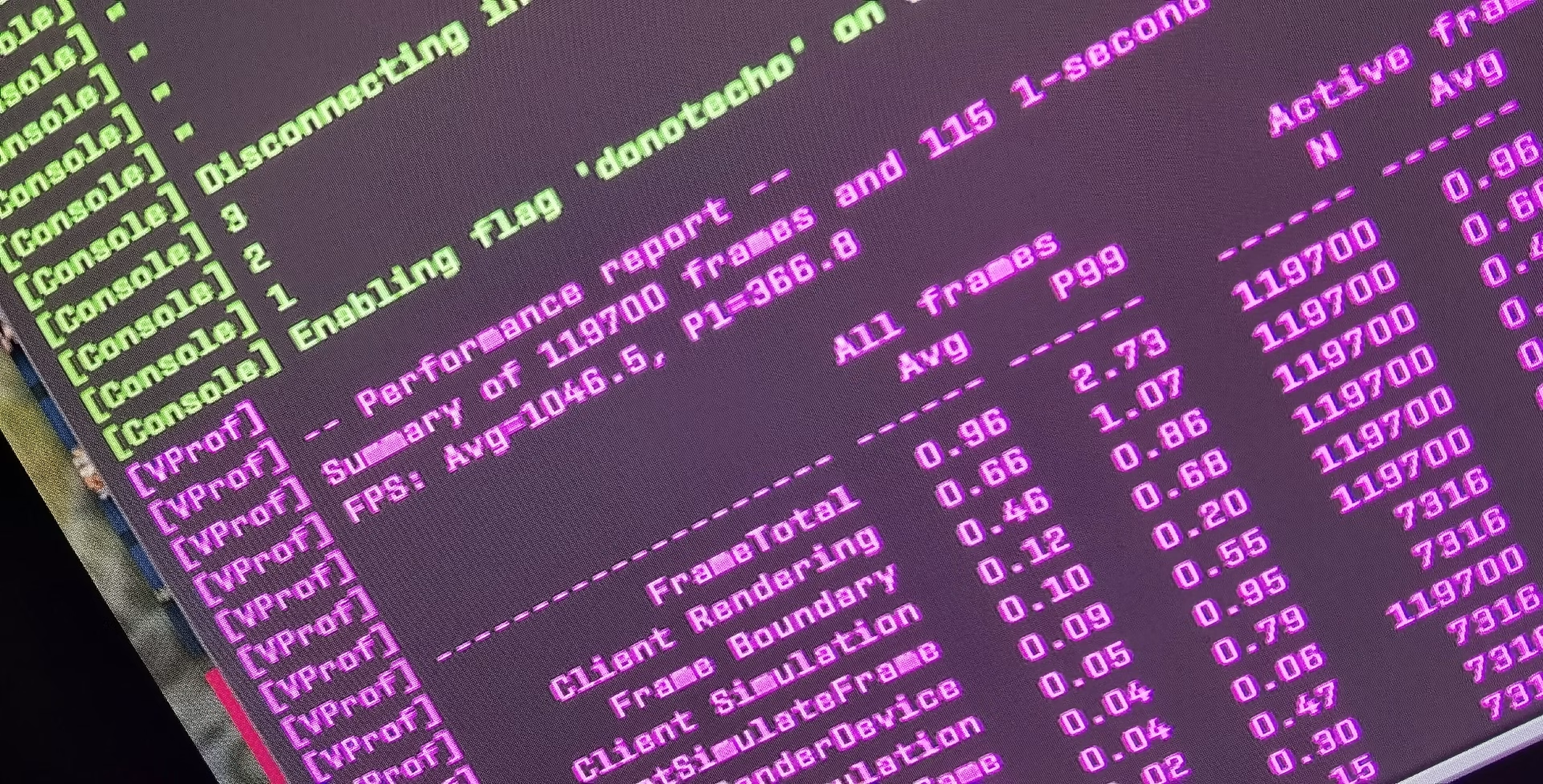
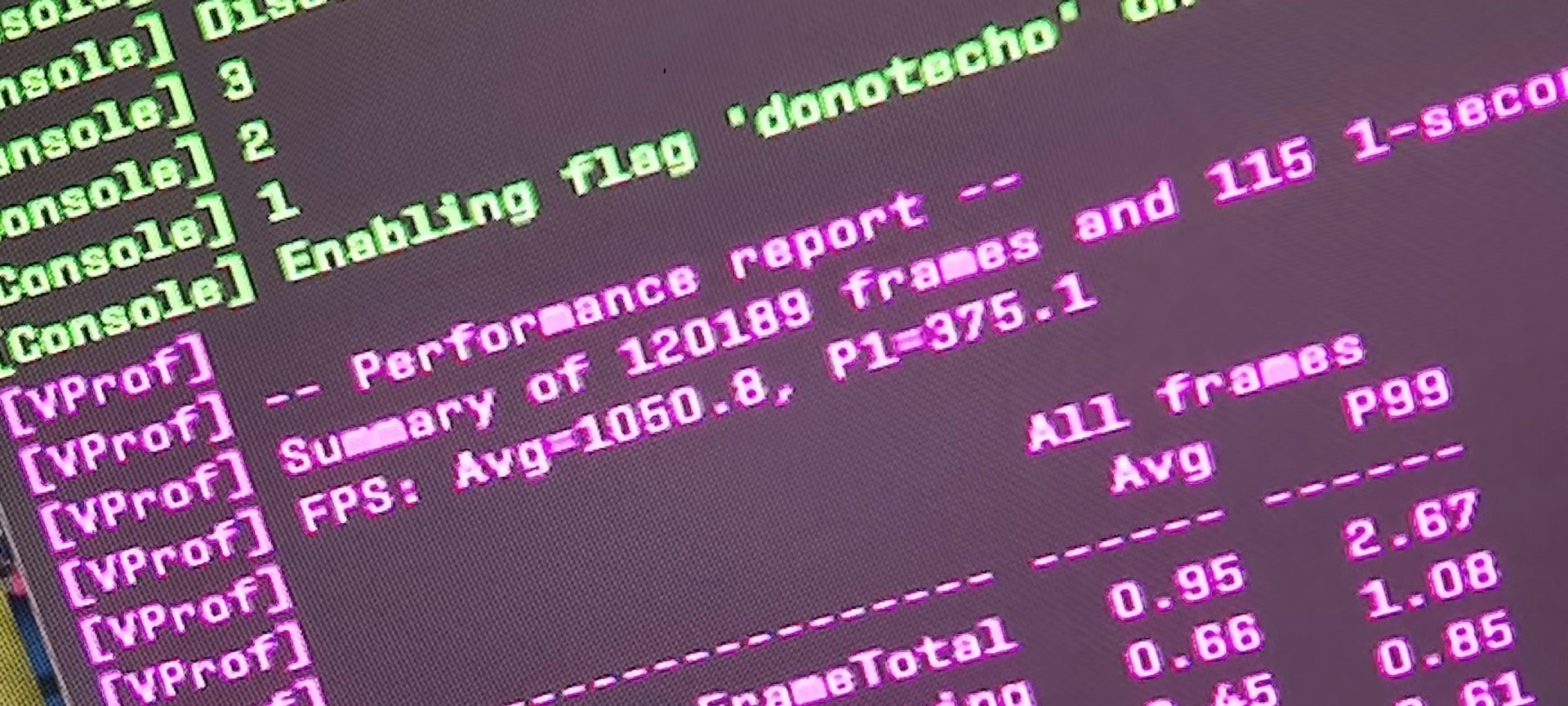
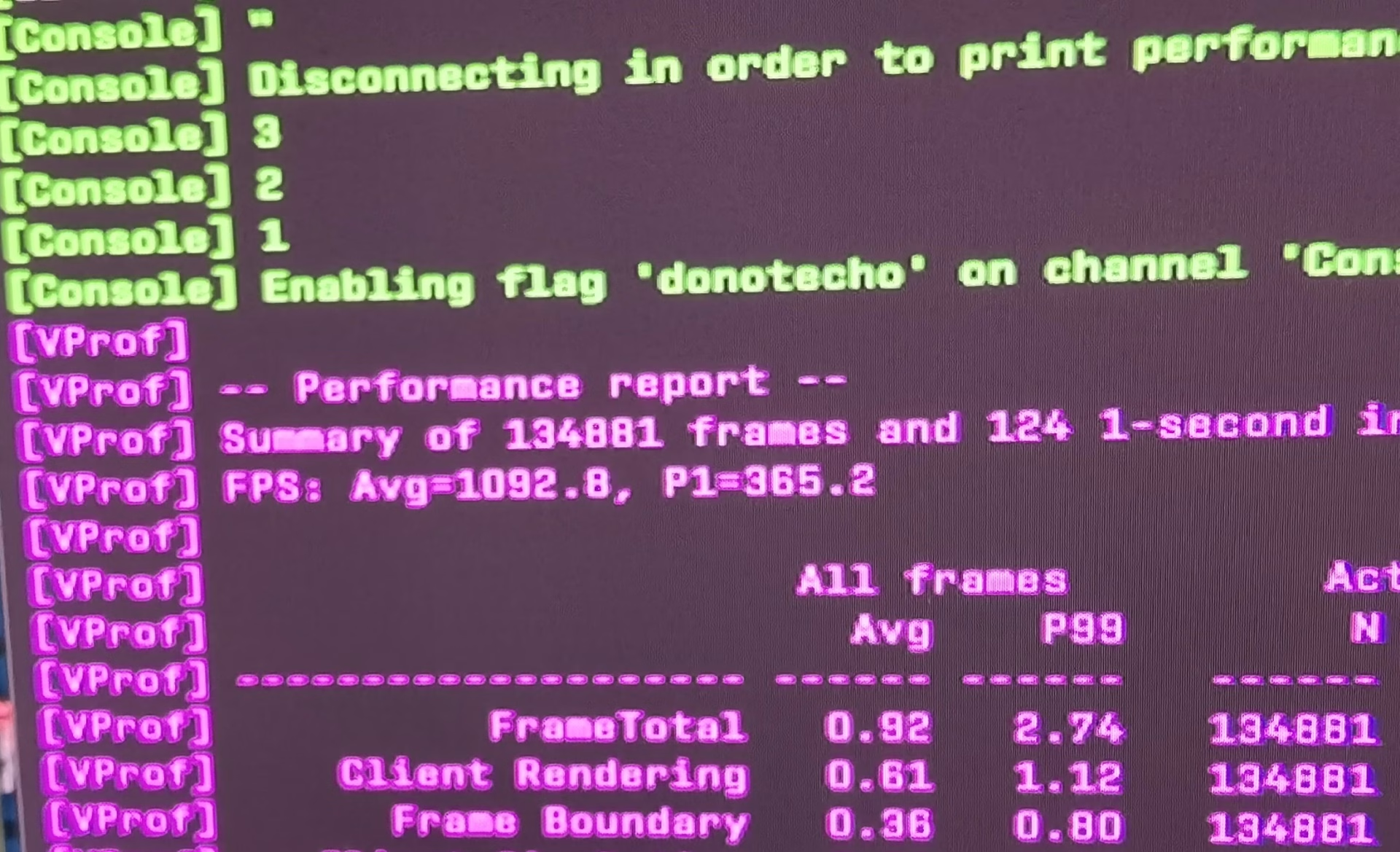
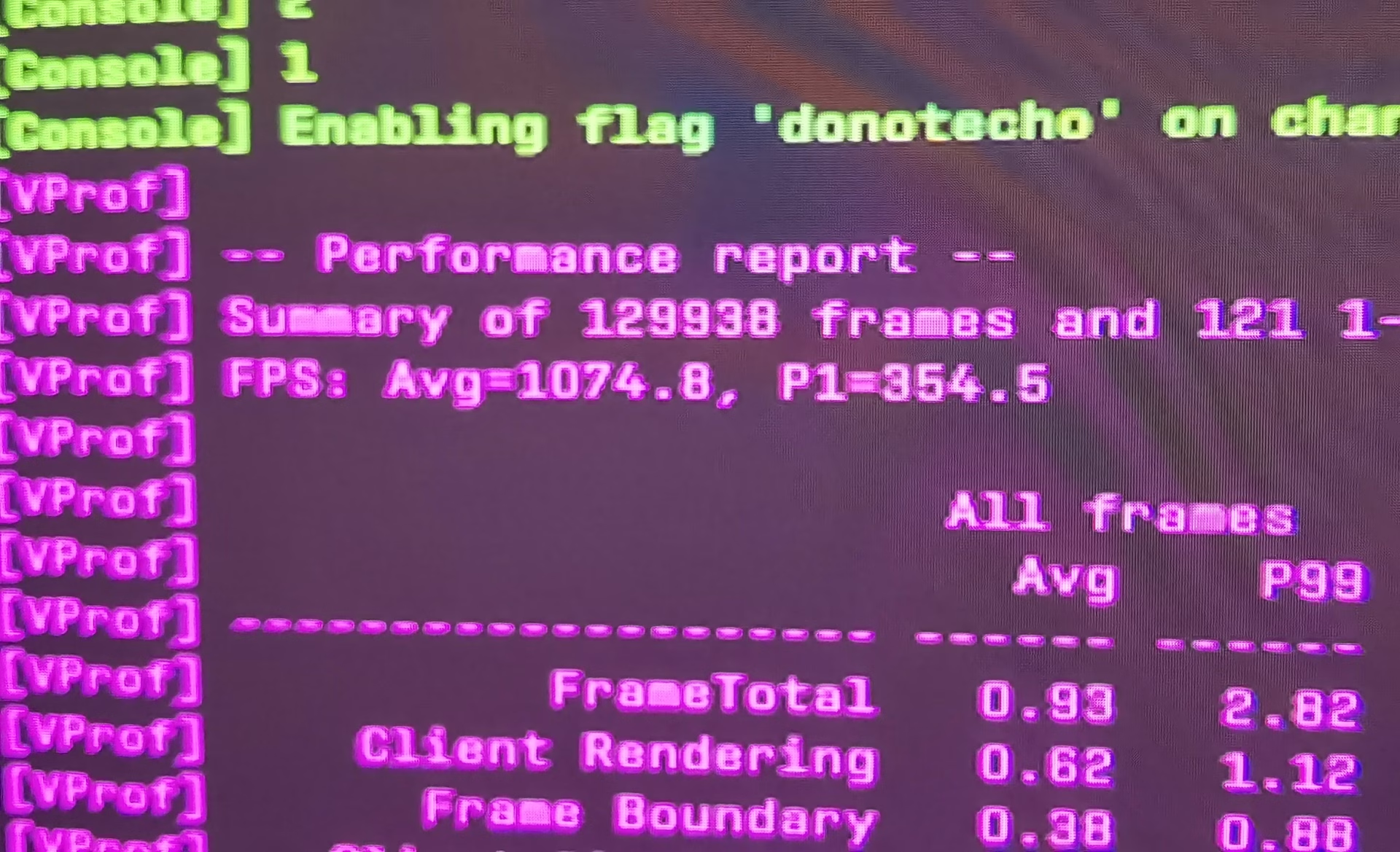
These are not our numbers. They are independent tests.
We put them here to show that optimization is measurable engineering, not a placebo. You can check every source yourself.
Virtualization-Based Security and Memory Integrity come back after updates without asking. Up to 5% lost overall, and in Flight Simulator around 10% of average FPS and up to 15% in 1% lows. Tested on an i9-13900K with an RTX 4090.
Out of the box memory runs at the slow JEDEC settings, not the ones printed on the package. Regular Ryzens and Intels take most of the gain from clock speed, while X3D takes it from hand-tuned timings. That is why raising MHz alone does little on X3D, and tuning does a lot.
Latency is a chain and the FPS counter only shows the middle of it. In THE FINALS, NVIDIA measured 56 ms with Reflex off, 27 ms with Reflex Low Latency and 14 ms with Reflex 2 Frame Warp.
From the click to the pixel.
Every link adds milliseconds. The FPS counter measures two of them. In the session we go through all of them.
How a session works.
Six steps, always in the same order. Steps 2 and 5 exist so that you never have to take our word for anything.
Free scan
On Discord, no strings attached. The tool is still in development and has its limits, but you will already know something about your system.
optionalBaseline measurement
Average FPS, 1% and 0.1% lows, frametime stability. Measured in the games you actually play, at the settings you actually use. No synthetic benchmarks.
Backup and a restore point
Before we touch anything. Every change is documented and reversible. That is a hard requirement in every package.
The optimization session
BIOS/UEFI, Windows, memory, network, input. You connect with the technician and see every step on your own screen. You ask as we go and stop whenever you want.
60-90 min+The after measurement, side by side
The same games, the same settings, the same scenes. You see the before and after live, before we hang up.
Six months of support
You get instructions on how to keep it that way, because Windows updates like to undo good changes. If something feels off, you write on Discord.
6 monthsA card ten times cheaper. More frames.
CS2 is unusually sensitive to CPU and memory. Below are two builds at the same resolution and the same settings.
Card prices checked in August 2026 at x-kom and Media Expert, on variants available off the shelf. The result applies to CS2, where the CPU and memory are the bottleneck. In GPU-bound games there is no such advantage and we say so plainly.
"Trust me" is not a baseline.
Depending on the package and the hardware, we measure and show:
Input responsiveness is the first thing clients feel, but it cannot be measured remotely and we do not pretend otherwise. If a number cannot be improved on your hardware, we say so plainly and point out which upgrade would actually move it. Sometimes the honest answer is: "your GPU is the wall".
Safe and reversible.
Every engine chokes differently.
We did the homework separately for each title.
Brutally sensitive to CPU and memory. The classic case where average FPS looks fine and the 1% lows are on the floor.
CS2 settings guideA game in active development, where performance changes from patch to patch. We verify settings against the current build, not last year's guide.
Deadlock configThe game itself already runs fast. Here it is input latency, desync and packet rate that matter, not raw FPS.
They load both the CPU and the GPU. The render queue setting and the memory work add the most here.
A 1% lows nightmare. That is exactly where memory tuning and cleaning up background processes shine.
Rocket League, Dota 2, R6 Siege, TEKKEN 8, iRacing, PUBG, Battlefield and on. If you play it, that is what we measure.
The questions we get most.
Is optimization safe with anti-cheats?
When will I see the results?
What if nothing can be improved on my machine?
How do you optimize the BIOS?
Will I lose data or settings?
What does the connection look like?
Which language do I need?
Question not here? Full FAQ or write to info@ultimatemove.eu.

Let us find out how many frames your system is taking from you.
You see the before and after before we hang up. We stay with the session until the system is set up, and if there is nothing to improve you will hear it at the start and you will not pay for the rest.
