Nvidia Windows 10 drivers: the last Game Ready release comes in October 2026
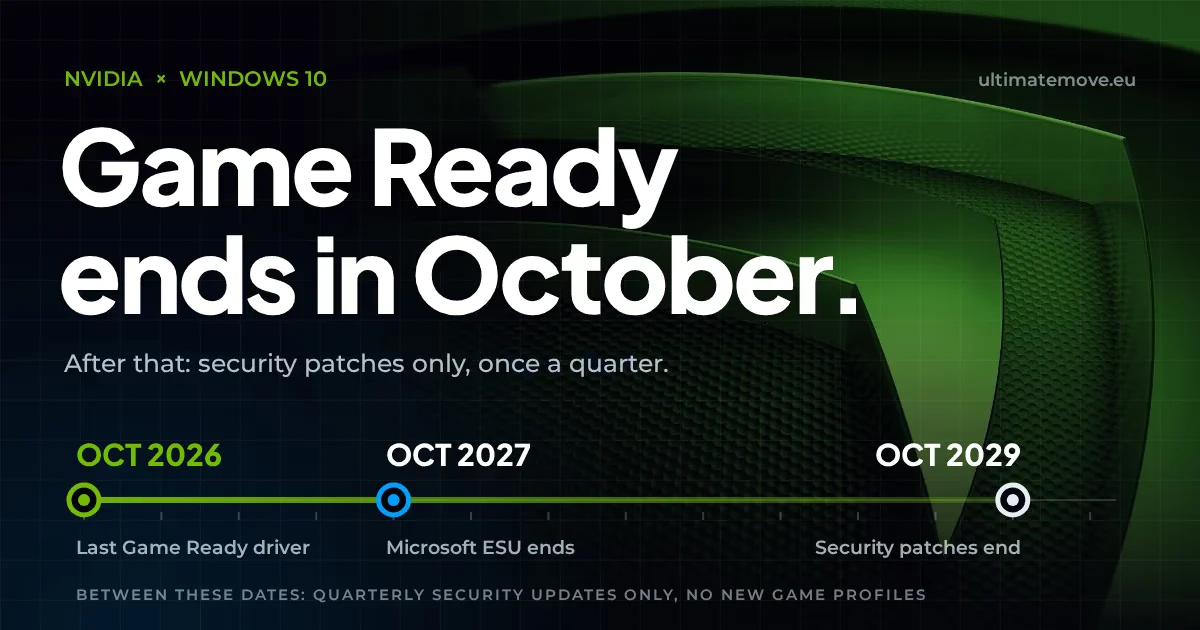
Nvidia Windows 10 drivers get their last Game Ready release in October 2026. From November your GeForce card keeps working on Windows 10, but new games will no longer get profiles or performance fixes for it. What remains are security patches once a quarter, until October 2029.
Nvidia described this in the support article “GeForce Support Plan for Windows 10”: “After October 2026, Windows 10 driver support will transition to a quarterly security update for a period of three years where critical bug fixes will be delivered to end users through October 2029”. The company has not given the exact day of the last driver.
A few weeks earlier Microsoft extended paid security updates for Windows 10 to October 2027. The two dates have nothing to do with each other. Your system can keep getting fixes from Microsoft while your graphics driver stays frozen.
What exactly Windows 10 loses from November 2026
Three things disappear: profiles for new games, performance fixes for specific titles and new driver features. A Game Ready driver usually ships together with a big game release and carries the settings Nvidia prepared for it, bug fixes and support for new versions of Nvidia technologies such as DLSS.
A security patch does something else. It closes a hole in the driver and does not touch how a game uses your card. After November your Windows 10 will be exactly as secure as it is today, and every new release will launch on a driver that has never seen that game.
Which releases this affects
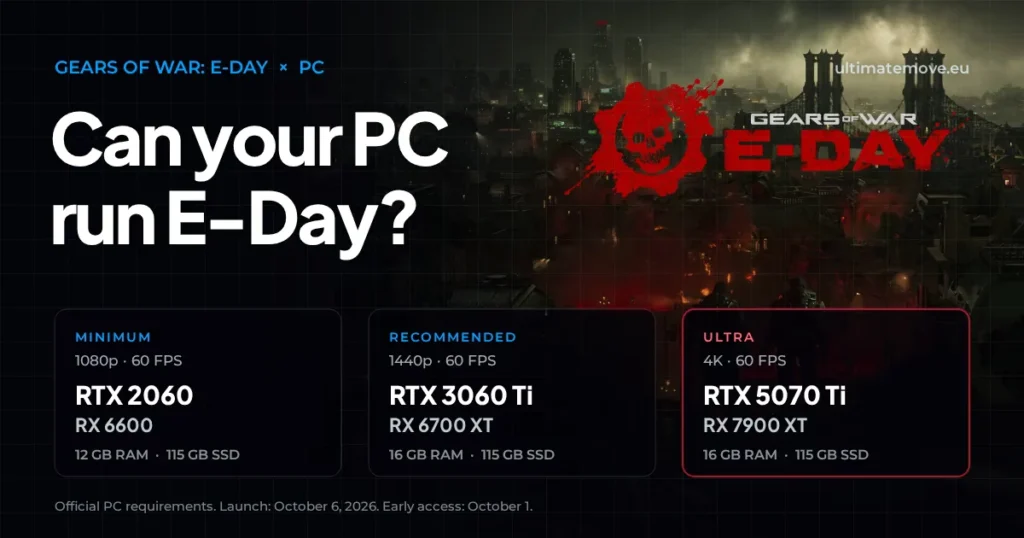
First on the list are the games of late 2026. Gears of War: E-Day launches on October 6, Call of Duty: Modern Warfare 4 on October 23, and Path of Exile 2 leaves early access on December 11. For the first two nobody knows whether they will make it into the last Windows 10 driver, because Nvidia has not named the day. Path of Exile 2 will definitely land on the frozen driver.
A game on an old driver will usually start. The trouble shows up later: stuttering during shader compilation, artifacts, a crash in one specific location that Nvidia fixed in a version your system can no longer get. On Windows 10 you are then left with a workaround or without one.
Read nextMemory Integrity FPS lossMemory Integrity FPS loss measures 3.3 to 5.7 percent in an isolated test, not fifteen. Microsoft starts enabling the protection in October 2026.Moving to Windows 11? We connect to your PC remotely and set the new system up for gaming: BIOS, power, drivers and input. The goal: more FPS than your Windows 10 gave you, checked with the same benchmark before and after. For six months after the session we stay with you on Discord.
How many players this affects
According to the Steam hardware survey from August 2026, Windows 10 runs on 22.90 percent of all computers and Windows 11 on 70.97 percent. Almost one in four computers in the Steam survey runs a system for which Nvidia stops preparing game drivers in a month.
Some of those machines will not move to Windows 11 without changes to hardware or BIOS, because the system requires TPM 2.0 and Secure Boot. Those same two features are now required by anti-cheats in more and more games, so the topic comes back to you from another side anyway.
How to check where you stand
The winver command typed into the Start menu shows your system version. You will find the driver version in the NVIDIA app under the Drivers tab or in Device Manager, in the properties of your card. If the winver window shows Windows 10, from November every new Game Ready driver will be for Windows 11 only.
It is also worth writing down the version on which your games run stable today. Once the driver is frozen, that version becomes your reference point for the coming years and helps if a security patch breaks something.
Moving to Windows 11 without losing frames
An in-place upgrade carries into Windows 11 everything that has piled up on your Windows 10 over the years: old drivers, startup services, leftovers from overclocking tools. A clean install starts from zero, but you have to rebuild your game settings, card profiles and peripheral drivers.
Windows 11 adds a cost of its own. From October 2026 updates switch on Memory Integrity on computers the system considers ready. In an isolated test it costs between 3.3 and 5.7 percent of frames. I broke it down with numbers in the article on how many FPS Memory Integrity costs.
After the switch it pays to measure before and after in the same game and the same scene. Without that you cannot tell a drop caused by the system from one caused by the driver, the power plan or settings that quietly went back to default.
The whole story leaves you with a short list of dates. The last Game Ready driver for Windows 10 ships in October 2026. From November only security patches remain, once a quarter, until October 2029. Microsoft paid support for the system itself runs until October 2027 and changes nothing about drivers. If you play new releases on an Nvidia card, Windows 10 stops being an option in the long run, and you can pick the moment to switch yourself, before the first game that refuses to run picks it for you.
Frequently asked questions
Will my Nvidia card stop working on Windows 10?
No. Your card keeps working on the last installed driver, and until October 2029 Nvidia will release quarterly security patches for Windows 10. Only new Game Ready releases with profiles and fixes for upcoming games go away.
When exactly will the last Game Ready driver for Windows 10 come out?
Nvidia gave only the month, October 2026, with no specific day. In practice it will be the last Game Ready release published in October, usually tied to a big game launch.
Does Microsoft extended Windows 10 support change anything here?
No. Microsoft extended security updates for the system itself to October 2027, but graphics drivers come from Nvidia, and Nvidia decided to end Game Ready releases for Windows 10.
Are AMD and Intel ending Windows 10 drivers too?
At the time of writing I found no similar announcement from AMD or Intel. This change covers GeForce cards and Nvidia drivers.
Will older games run worse after October?
Games that work today will work the same, because the driver does not change. The problem concerns new releases and game patches that come out after the last Game Ready driver for Windows 10.
Will moving to Windows 11 lower my FPS?
The difference is small and depends on the specific PC. Windows 11 is a bit heavier because it keeps more features running in the background by default. The biggest known cost is Memory Integrity: 3.3 to 5.7 percent in an isolated test. The CPU matters too. Intel 12th gen and newer, with P and E cores, relies on Thread Director, which only gets full support in Windows 11, so on that hardware the new system can deliver more frames. After optimization both systems score very close, and sometimes Windows 11 comes out ahead. What decides the result is how carefully someone sets the system up. Big drops after the switch almost always come from somewhere else: old drivers carried over, unneeded services, or settings that went back to default.
Frames dropping exactly when the fight starts?
That drop lands in the one second that decides the round, and no graphics preset fixes it. We tune Windows, drivers and network remotely, and the BIOS together with you on a Discord call. You measure it yourself, in your own game, before and after, with us watching.
See PC optimization →Six months of support after the session. Not sure it is worth it? Ask for a free check on our Discord first. KaRzye
Runs the research and every session at UltimateMove. FACEIT Level 10 in CS2,
Immortal in Valorant. Twenty years in BIOS, memory and drivers.
Watch him play.
KaRzye
Runs the research and every session at UltimateMove. FACEIT Level 10 in CS2,
Immortal in Valorant. Twenty years in BIOS, memory and drivers.
Watch him play.
Our free tools
Built in house. No account, no limits.
 Ultimate Demo Analyzer
Upload a CS2 demo and get your mistakes and round stats written out.
Free, no account Deadlock Replay Analyzer
The same for Deadlock: a replay breakdown and a plan for the next matches.
Free, no account Sensitivity Converter
Carry your cm/360 between games without losing muscle memory.
Free, no account Aim Trainer
Thirty seconds, three levels. No install, no account.
Free, no account