Memory Integrity FPS loss: how many frames the October 2026 update takes
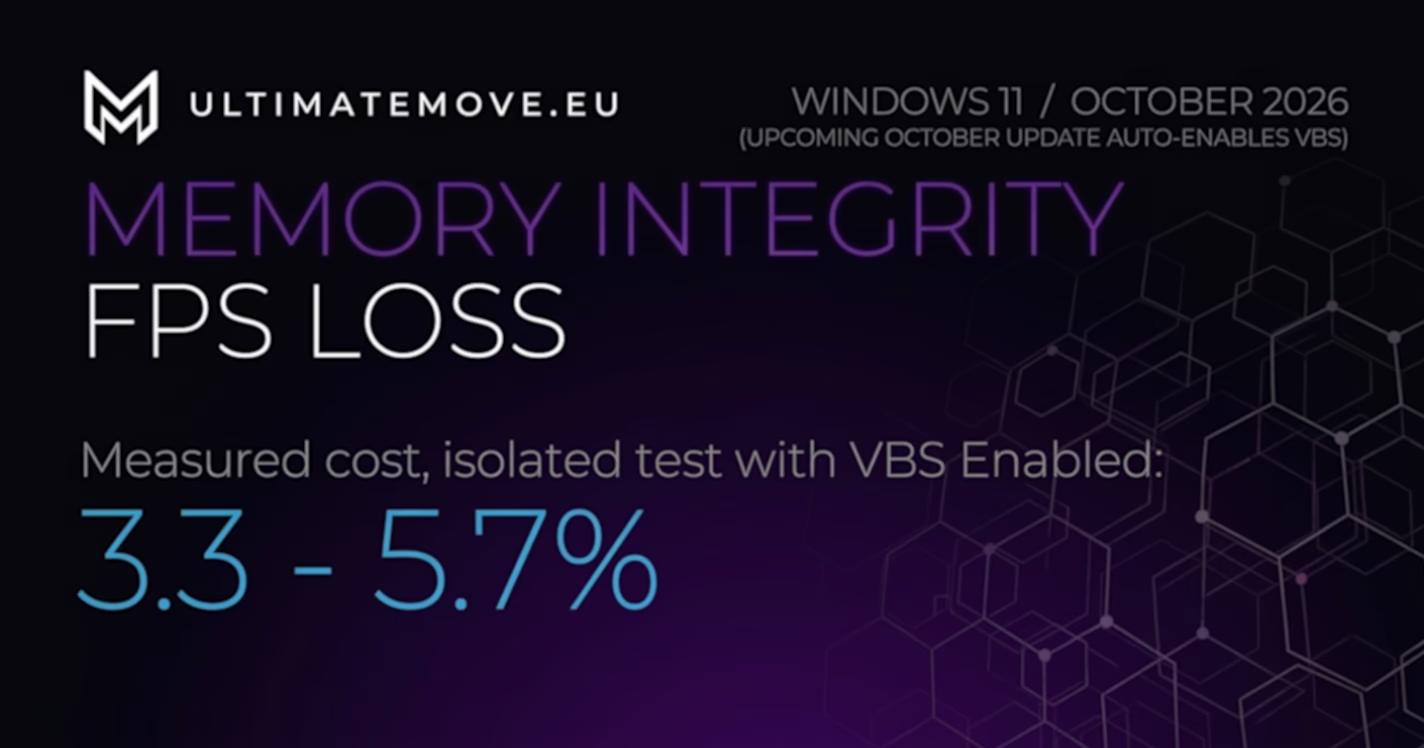
Memory Integrity FPS loss measures 3.3 to 5.7 percent in an isolated test, not fifteen. Tom’s Hardware tested five games on an RTX 3090 at 1080p and reported the geometric mean separately for four CPUs: the Core i7-11700K loses 5.6 percent, the Core i7-10700K 5.7 percent, the Ryzen 7 5800X 3.3 percent, the Ryzen 7 3800X 4.1 percent. In the per-game table, measured with VBS alone, the worst result is 8.6 percent in Red Dead Redemption 2 (DX12) on the Ryzen 7 3800X, and the best is 0.1 percent in GTA V on the same CPU.
Microsoft announced on 1 September 2026 on the Windows IT Pro Blog: “Beginning in October 2026, Microsoft will expand memory integrity protection across eligible devices”. It described the mechanism this way: “Windows quality updates will begin enabling memory integrity protection on eligible devices”. Computers where someone deliberately turned this protection off earlier keep their setting.
The arithmetic for a gamer looks like this. Out of 240 frames you keep 226 to 232. If your 240 dropped to 180 after the October update, Memory Integrity accounts for a dozen or so of those sixty frames. Something else took the rest.
What exactly changes in October 2026
From October, Windows quality updates turn on Memory Integrity on computers the system itself considers ready. Microsoft calls these readiness signals and names three: hardware capability, compatibility and performance. Windows makes the call and the user is not asked.
Two things in that announcement are worth remembering. Earlier decisions by an administrator or user stay in force, so a machine with the protection switched off by hand will not change state on its own. The reverse also holds: a computer that never touched this switch will simply wake up with it on.
In the English interface the protection is called Memory integrity and it lives in Windows Security, under Device security, in Core isolation details. The technical name is HVCI, hypervisor-protected code integrity, and that is the term you will find in the documentation.
How many frames Memory Integrity costs, in numbers
The cost falls between 3.3 and 5.7 percent of the five-game average, depending on the CPU. Below is the full set from the Tom’s Hardware test on an RTX 3090 at 1920×1080, separately for VBS and for HVCI alone.
| CPU | VBS | HVCI (Memory integrity) |
|---|---|---|
| Core i7-11700K | -4,9% | -5,6% |
| Core i7-10700K | -5,0% | -5,7% |
| Ryzen 7 5800X | -4,0% | -3,3% |
| Ryzen 7 3800X | -4,1% | -4,1% |
The spread between games is larger than the spread between CPUs. Tom’s Hardware reported the per-game results for VBS alone, without HVCI. Project Cars 3 on a Ryzen 7 5800X in DX11 gives up 8.1 percent. Red Dead Redemption 2 on an i7-11700K in DX12 gives up 7.3 percent, while the same game on the same CPU in Vulkan loses only 4.4. GTA V on an i7-10700K in DX11 loses 1.1 percent, which is less than the run-to-run variance of the same test.
One caveat on these numbers, because without it they look better than they are. The test was run on hardware from the Windows 11 launch era: 10th and 11th gen Core, Zen 2 and Zen 3. All four CPUs already have the hardware support described below, so this test does not show how much older CPUs without it lose.
We connect to your PC remotely, save a restore point, then work through power, drivers and input. The BIOS we go through together on a Discord call while you show us the screen with your phone. The same benchmark at the end shows how much of it landed. For six months after the session we stay with you on Discord.
Why one PC loses 3 percent and another a dozen or more
Microsoft’s documentation names the CPU feature the cost of the protection depends on: “Memory integrity works better with Intel Kabylake and higher processors with Mode-Based Execution Control, and AMD Zen 2 and higher processors with Guest Mode Execute Trap capabilities. Older processors rely on an emulation of these features, called Restricted User Mode, and will have a bigger impact on performance”.
In model numbers: Intel has hardware MBEC from Kaby Lake, the 7th generation Core from 2017. AMD has the equivalent, GMET, from Zen 2, the Ryzen 3000 series from 2019. Anything older emulates the same work in software through Restricted User Mode and, according to Microsoft, loses more performance because of it.
That explains why the same forum thread has both “I barely noticed” and “the game fell apart”. Two people on different hardware generations are talking, and both are right.
Where the fifteen and twenty percent headlines come from
From tests that change two things at once. The loudest one, covered by The FPS Review in March 2025 and recorded by the Tech YES City channel, compared Windows 10 with Windows 11 with VBS on, on a Ryzen 7 9800X3D and a Ryzen 9 9950X3D. In Fortnite at 1080p on low settings the difference was 91 frames.
That number is real and useless for our question. It contains the difference between two operating systems plus the difference from the switch, and nobody separated them. Blaming all 91 frames on Memory Integrity is a method error, not bad faith on the author’s part. The numbers you can attribute to the switch alone come from tests where nothing else changed, and those numbers start at 0.1 percent and end at 8.6.
That is why with this protection you have to measure, not read headlines. A before and after measurement, on one machine, with one variable, answers the question about your PC. Someone else’s benchmark answers the question about someone else’s PC.
The risk Microsoft describes in its own words
Losing frames is not the worst case. Microsoft’s documentation warns: “Some applications and hardware device drivers may be incompatible with memory integrity. This incompatibility can cause devices or software to malfunction and in rare cases may result in a boot failure (blue screen)”.
This is the real cost of the update for some people. An incompatible kernel driver, the kind that ships with mouse software, RGB controllers, overclocking tools and older audio interfaces, stops loading once the protection is on. The hardware disappears from the system or the machine does not boot. Microsoft adds that the compatibility check will not catch every driver in every environment.
There is one more catch on machines where the protection was enabled with a UEFI lock. To undo the change from the Windows recovery environment you first have to disable Secure Boot. And Secure Boot is now required by the anti-cheat in more and more games, so that move can swap one problem for another.
Turn it off for gaming? Check your anti-cheat first
The question that comes up most with this update is whether to turn Memory Integrity off for gaming. If you play on FACEIT or Valorant, the answer now depends on the anti-cheat, not on a few percent of frames.
FACEIT states in its requirements that it needs VBS so that IOMMU runs reliably in Windows, and it is rolling out the IOMMU requirement in waves. Memory Integrity runs on exactly that VBS layer. Before you switch anything off, open msinfo32 and check the Virtualization-based security entry. FACEIT needs it running.
Riot requires HVCI, which is Memory Integrity, for Vanguard On-Demand mode, which loads the anti-cheat only while you play instead of at every Windows start. It also needs VBS, Secure Boot, TPM 2.0 and IOMMU on Windows 11 25H2. Turn it off and you lose that mode and go back to Vanguard loading at system start.
If you play these games, leave Memory Integrity on and win frames back in places that do not touch security: drivers, background programs, the power plan and the BIOS. If you do not, you are back to the maths in this article: 3 to 6 percent of the average against a barrier for unsigned kernel drivers.
How to tell a Memory Integrity drop from a real problem
The threshold is about nine percent. The worst single-game result in the Tom’s Hardware test is 8.6 percent, and all four tested CPUs have hardware MBEC or GMET. On older CPUs that emulate this feature, Microsoft says the cost is higher. A loss in that range fits what the switch does. A loss of twenty, thirty or fifty percent has another source, and Memory Integrity is just the last thing you noticed.
The October quality update will not arrive alone. It lands on a PC together with everything that has already piled up there: a driver swapped along the way, a power plan changed by an installer, a service that came back to startup, a graphics profile reset to defaults. In that mix the enabled protection is the easiest variable to point at and the one least often responsible for most of the loss.
Telling them apart takes a measurement, not an opinion. One machine, one change at a time, the same game settings, the same scene, the result written down before and after. That is what an answer to how much your PC really lost, and to what, looks like.
So the whole story comes down to a short list of facts. Microsoft turns on Memory integrity from October 2026 on computers the system considers ready and leaves alone the ones where someone switched it off on purpose. A clean measurement gives 3.3 to 5.7 percent on average and up to 8.6 percent in the worst game with VBS alone. Intel CPUs from Kaby Lake and AMD from Zen 2 pay less, older ones pay more. The fifteen and twenty percent headlines come from tests that also changed the operating system. And if your PC lost far more than those nine percent after the update, this is not a Memory Integrity story, and hunting for the culprit blind only drags the problem out.
Is it safe to turn off Memory integrity?
It lowers the protection of the system kernel, and Microsoft says so plainly, recommending you disable it at most while gaming. The protection blocks unsigned and modified kernel drivers from loading, which is exactly the route some malware and some cheats take. Trading a few percent of frames for that barrier is a decision, not a given.
How do I check whether it is on?
In Windows Security, under Device security, in Core isolation details. The entry is called Memory integrity. It shows the switch state, and if there are compatibility problems Windows lists in the same place which driver blocks it from turning on.
Will Microsoft turn this protection on on my PC?
The system decides based on three signals Microsoft calls readiness signals: hardware capability, compatibility and performance. There is no public list of models. One thing is certain: machines where the protection was deliberately switched off earlier keep their setting.
Does it affect input lag too, not just FPS?
Public tests measure frame rate, not input lag, so a hard answer to this question simply does not exist as a number. A lower and less stable frame rate lengthens the time between moving the mouse and the change on screen, but attributing specific milliseconds to this switch would need a measurement nobody has published.
Memory integrity and VBS: are they the same?
No. VBS, virtualization-based security, is the layer below: an isolated environment built on virtualization. Memory integrity, HVCI, is one of the features running in that environment. The Tom’s Hardware test shows it in the numbers: on a Ryzen 7 5800X, VBS alone cost 4.0 percent and VBS with HVCI 3.3 percent, which is within measurement noise.
Does a newer CPU solve it?
It lowers the cost, it does not remove it. Intel from Kaby Lake has hardware Mode-Based Execution Control, AMD from Zen 2 has Guest Mode Execute Trap, and on that hardware the protection costs the least. Older CPUs emulate the same thing through Restricted User Mode, and Microsoft itself writes that the performance impact is bigger for them.
Frames dropping exactly when the fight starts?
That drop lands in the one second that decides the round, and no graphics preset fixes it. We tune Windows, drivers and network remotely, and the BIOS together with you on a Discord call. You measure it yourself, in your own game, before and after, with us watching.
See PC optimization →Six months of support after the session. Not sure it is worth it? Ask for a free check on our Discord first. KaRzye
Runs the research and every session at UltimateMove. FACEIT Level 10 in CS2,
Immortal in Valorant. Twenty years in BIOS, memory and drivers.
Watch him play.
KaRzye
Runs the research and every session at UltimateMove. FACEIT Level 10 in CS2,
Immortal in Valorant. Twenty years in BIOS, memory and drivers.
Watch him play.
Our free tools
Built in house. No account, no limits.
 Ultimate Demo Analyzer
Upload a CS2 demo and get your mistakes and round stats written out.
Free, no account Deadlock Replay Analyzer
The same for Deadlock: a replay breakdown and a plan for the next matches.
Free, no account Sensitivity Converter
Carry your cm/360 between games without losing muscle memory.
Free, no account Aim Trainer
Thirty seconds, three levels. No install, no account.
Free, no account