FACEIT IOMMU: Check BIOS, VBS and Windows Requirements
The FACEIT IOMMU message means the anti-cheat requires memory protection against DMA devices to be enabled, plus VBS in Windows. On Intel the BIOS option is usually called VT-d, on AMD it is IOMMU or AMD-Vi. Before you change anything, write down the full message, your motherboard model and your Windows version.
FACEIT enables this requirement in waves, so a friend with the same hardware may not have it yet. We checked the requirements on October 24, 2026.
IOMMU, virtualization and VBS: what are you enabling?
These names often appear together, but they describe different components.
| Function | What it means in practice |
|---|---|
| IOMMU, Intel VT-d, AMD-Vi | Controls device access to memory. It is associated with protection against unauthorized access through DMA. |
| CPU virtualization, such as Intel VT-x or AMD SVM | Enables technologies based on virtualization. It is a separate setting from VT-d or IOMMU. |
| VBS | Windows security that uses an isolated, virtualization-based environment. |
| Memory integrity, or HVCI | A specific feature that uses VBS to protect kernel code integrity. |
| Secure Boot and TPM 2.0 | Separate boot and platform protections. They do not replace IOMMU. |
According to FACEIT, IOMMU needs VBS to work reliably on Windows. Microsoft describes the relationship between Memory integrity and VBS. One toggle does not cover every requirement at once.
First, gather information and prepare a way back
Open the Run dialog with Windows + R, then enter msinfo32 , and find your processor model and motherboard manufacturer and model. For a prebuilt PC or laptop, record the complete device model as well. Use winver.
Before making changes:
- Back up important files and record the current firmware settings, for example with photographs.
- Check whether BitLocker or device encryption is active. Make sure you can access the correct recovery key from a second device.
- Open the manufacturer's manual for your exact motherboard or computer model.
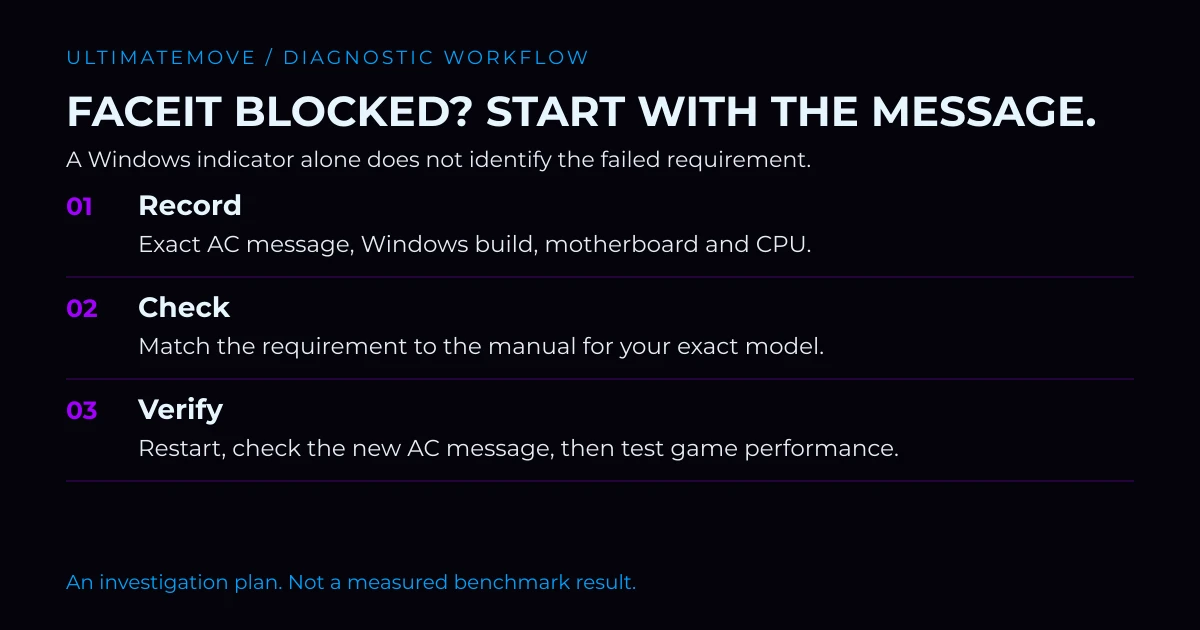
- Record the full FACEIT error. “The anti-cheat does not work” is too broad to choose a solution.
Microsoft explains where to find your BitLocker recovery key. Do not assume it is stored in the account you are currently using. Do not publish the key or include it in an ordinary support request.
We connect to your PC remotely, save a restore point, then work through power, drivers and input. The BIOS we go through together on a Discord call while you show us the screen with your phone. The same benchmark at the end shows how much of it landed. For six months after the session we stay with you on Discord.
Where is IOMMU on MSI, ASUS, Gigabyte and ASRock?
On Intel you look for VT-d, on AMD IOMMU or AMD-Vi. The option usually sits in advanced mode, under CPU, chipset or System Agent settings.
Option names and locations change between MSI, ASUS, Gigabyte and ASRock series and between BIOS versions, so a path from a video about another board may not match. Start with the FACEIT guide to IOMMU and DMA Protection, then open the manual for your model.
Cannot see the option? Switch the BIOS to advanced mode and check the manual. FACEIT says almost all CPUs from 2015 onward support VT-d or AMD-Vi, and a missing option is often down to an old BIOS. Update firmware following your motherboard maker's instructions.
Change only settings you understand, and keep a record of each step. Do not switch between Legacy and UEFI boot or clear the TPM as an extra measure. Those are separate operations that can affect booting and encryption.
How do you check the result in Windows?
After restarting, return to msinfo32. Find the entries for Kernel DMA Protection and virtualization-based security. Their names depend on the Windows interface language.
Kernel DMA Protection in msinfo32 shows the state of a Windows feature, but it does not confirm you meet every FACEIT requirement. Hardware and firmware dependencies are described in Microsoft's documentation. An "Off" state does not tell you which option to change.
After a restart, check the FACEIT AC message again. If it changed, write down the new text: the first condition is met and the anti-cheat is pointing to the next one. Do not enable several random options at once.
FACEIT and Windows 10 after 14 October 2026
According to FACEIT's FAQ from October 14, 2026 Windows 10 must be version 22H2 with active ESU. Windows 11 will be required from October 2027, and some configurations may get that requirement earlier. So you do not need to reinstall your system today.
ESU delivers security updates until October 12, 2027. In the EEA enrollment is free if you sign in to Windows with a Microsoft account. Check the status in Windows Update and on Microsoft's program page. Installing the preparation package alone does not enroll the PC.
The anti-cheat works, but the game feels worse
Separate two goals: meeting the anti-cheat requirements and improving game performance. Record your changes, then compare the same map, settings and scenario. A result from an empty map should not be compared with a chaotic round full of grenades.
FACEIT admits IOMMU and VBS can slightly reduce performance, especially on older PCs and with immature firmware. Only a measurement shows how much you lose. We cover the impact of Memory Integrity on FPS separately, and a good starting point for checking the game itself is CS2 settings guide.
If the computer stops booting after a change, restoring a stable boot takes priority, following the manufacturer's instructions. Do not continue performance tuning on an unstable system.
Need help finding the cause?
Prepare your motherboard and CPU models, Windows version, complete FACEIT message and a list of changes. If the anti-cheat will not start, begin with compatibility troubleshooting. If AC works but CS2 stutters, the next task is performance analysis.
Describe your case to UltimateMove. We will work out whether you need requirements setup, driver diagnostics or a broader PC optimization. You know the scope and price before the session. We go through the BIOS together on Discord while you show the screen with your phone camera.
Frequently asked questions
Is IOMMU the same as Intel VT-x or AMD SVM?
No. CPU virtualization and control over device memory access are separate features. Enabling SVM or VT-x does not confirm that IOMMU is working.
What is IOMMU called on an Intel platform?
Usually VT-d. Check its exact location in the manual for your motherboard model and firmware version.
Does Kernel DMA Protection “Off” identify the cause?
No. It reports the state of a Windows feature. Consider it alongside hardware support, firmware configuration and the exact anti-cheat error.
Must I upgrade from Windows 10 to Windows 11 now?
No. Until October 2027 Windows 10 22H2 with active ESU is enough, unless the AC message says otherwise.
Will enabling IOMMU definitely reduce FPS?
FACEIT mentions a small drop in some cases, mostly on older hardware. Compare the same scene before and after the change.
What should I prepare for a consultation?
Your motherboard and CPU models, Windows version, complete FACEIT message and change log. Do not send a BitLocker key in an ordinary support request.
Frames dropping exactly when the fight starts?
That drop lands in the one second that decides the round, and no graphics preset fixes it. We tune Windows, drivers and network remotely, and the BIOS together with you on a Discord call. You measure it yourself, in your own game, before and after, with us watching.
See PC optimization →Six months of support after the session. Not sure it is worth it? Ask for a free check on our Discord first. KaRzye
Runs the research and every session at UltimateMove. FACEIT Level 10 in CS2,
Immortal in Valorant. Twenty years in BIOS, memory and drivers.
Watch him play.
Our free tools
Built in house. No account, no limits.
 Ultimate Demo Analyzer
Upload a CS2 demo and get your mistakes and round stats written out.
Free, no account Deadlock Replay Analyzer
The same for Deadlock: a replay breakdown and a plan for the next matches.
Free, no account Sensitivity Converter
Carry your cm/360 between games without losing muscle memory.
Free, no account Aim Trainer
Thirty seconds, three levels. No install, no account.
Free, no account