
WARDOGS Low FPS and Stutter - Causes and How to Fix (2026)
In WARDOGS your processor, more often than your graphics card, sets the ceiling on your FPS. This follows from how the game is built and from the requirements table itself. The consequence is uncomfortable: in dense fights a faster graphics card returns less than you paid for it, because the processor is the limit in those moments. In open terrain, at higher resolutions and on high settings, the card still rules.
How we know
The first clue sits in the official requirements. Between the columns the graphics card moves from GTX 1660 to RTX 3070, roughly one generation. The processor moves from i5-8600 to i7-12700K, four architecture generations and six cores to twelve. When a developer asks for a disproportionately larger jump on one side, that side is usually the bottleneck.
The second clue is the game itself. A hundred players in three teams, vehicles, building and destroying structures, a 256 square kilometre map. Most of that work never reaches the graphics card.
What the processor actually does in a game like this
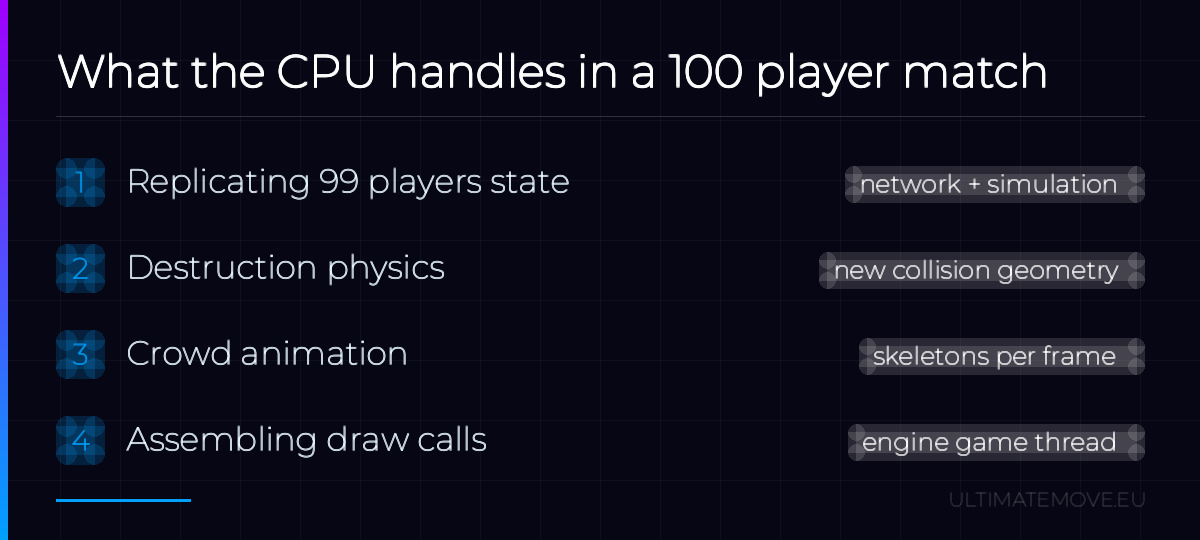
The graphics card draws the frame. The processor decides what goes into it, and in WARDOGS it has four jobs at once.
- Replicating player state. Positions, animations and events for ninety nine other people have to be received over the network and fitted into the simulation. That cost scales with how many players are in range, not with your graphics settings.
- Destruction physics. A collapsing structure is not a visual effect. It is computation plus new collision geometry that stays for the rest of the match.
- Crowd animation. Every visible soldier has a skeleton to evaluate, whether you play on Low or on Ultra.
- Assembling draw calls. In a dense scene the main engine thread prepares tens of thousands of them per frame.
Resolution and shadow quality do not touch any of those four items. What can take load off the CPU is view distance, character detail and the number of visible effects, as long as the game gives you control over them. That is why some people wrote after launch that they dropped everything to the lowest settings and it changed nothing: they lowered the wrong thing.
We connect to your PC remotely, save a restore point, then work through power, drivers and input. The BIOS we go through together on a Discord call while you show us the screen with your phone. The same benchmark at the end shows how much of it landed. For six months after the session we stay with you on Discord.
How to tell it is the processor
The symptom is distinctive and easy to separate from a graphics card running out of power.
| Symptom | Bottleneck |
|---|---|
| Empty map 140 fps, big fight 45 fps | CPU |
| Lowering settings changes nothing | CPU |
| GPU usage below 90 percent during the drops | CPU |
| FPS scales evenly with resolution | Graphics card |
| GPU at 99 percent for the whole match | Graphics card |
The bottleneck is not fixed, and that matters more than it sounds. On open terrain with long sightlines the load shifts to the graphics card. In tight built-up areas, with fifteen players and walls coming down, it moves back to the processor. That is why a single measurement from a single spot on the map settles nothing, and guides built on one benchmark mislead you.
Turn on an overlay showing GPU and CPU usage, walk into the biggest running fight you can find, and watch the GPU load at the moment of the drop. That one glance replaces an hour of reading forums.
Two kinds of stutter in Unreal Engine 5
Stutter in games on this engine usually comes from one of two sources, and most guides confuse them.
Shader compilation hurts most in the first fifteen minutes after install or after every driver update. Each new effect compiles on the fly and costs you a single frame. It passes on its own. If the game offers precompilation on first launch, sit through it instead of jumping straight into a match.
Traversal stutter never passes. It returns every time you move quickly into a new part of the map, because the engine streams assets in the background. With a map this size and vehicles in it, that is a real risk. Fast storage with free space helps here, graphics settings do not.
What this means for your wallet
If you have money for one component and you mostly play games like this, spend it on a processor with a large cache and a sensible number of performance cores. A card in the RTX 3070 class is enough for the target the developer published.
Before you buy anything, check whether the problem sits in your system. A processor loaded in the background by services, telemetry, overlays and a badly set power plan gives the game less than it should. In a CPU bound game every one of those percent comes back to you as a frame drop at the exact moment of the biggest fight.
A caveat
This is analysis, not measurement. It rests on the official spec table, the game description and how other large Unreal Engine 5 shooters behave. The game came out on 10 September 2026 and the first week has not contradicted it. We still have no measurements of our own and we are not going to fake them. When we take them, they go in here and we correct whatever does not hold up.
If you want to see how much your system actually gives your games before you spend a zloty on hardware, start with the free configuration scanner. The rest I handle in remote PC optimization.
More on WARDOGS: what actually costs you frames after launch, what the Steam requirements table leaves out and the Elytra anti-cheat and launch errors.
 KaRzye
Runs the research and every session at UltimateMove. FACEIT Level 10 in CS2,
Immortal in Valorant. Twenty years in BIOS, memory and drivers.
Watch him play.
KaRzye
Runs the research and every session at UltimateMove. FACEIT Level 10 in CS2,
Immortal in Valorant. Twenty years in BIOS, memory and drivers.
Watch him play.
Our free tools
Built in house. No account, no limits.
 Ultimate Demo Analyzer
Upload a CS2 demo and get your mistakes and round stats written out.
Free, no account Deadlock Replay Analyzer
The same for Deadlock: a replay breakdown and a plan for the next matches.
Free, no account Sensitivity Converter
Carry your cm/360 between games without losing muscle memory.
Free, no account Aim Trainer
Thirty seconds, three levels. No install, no account.
Free, no accountKeep reading
 Gaming Research
Intel APX in Windows 11: what the new toggle does and when it speeds up games
2026-10-26·4 min read Gaming Research
Intel or AMD for gaming in 2027: buy now or wait for Nova Lake and Zen 6
2026-10-26·4 min read Gaming Research


