10 Best Ways to Improve FPS in games for 2026
FPS (frames per second) directly affects smoothness, responsiveness, and overall gameplay quality. In 2026, most FPS problems are no longer only related to hardware, despite good GPUs and CPUs.That’s because gaming performance today is the result of multiple interacting systems: hardware, operating system scheduling, thermals, background processes, and in-game settings. This guide covers the 10 best ways to improve FPSbased on real benchmarks, technical analysis, and modern gaming workloads.
1. Optimize the settings that actually impact performance
Basics:
- set everything to low? XD
The biggest FPS killers are:
- shadows
- volumetric lighting
- particle effects
- anti aliasing
- post-processing effects
- ray-tracing
Lowering these options often results in major FPS gains with minimal visual impact during gameplay.
Why it works:
These elements place the heaviest load on the GPU and VRAM. More and more games also require Ray Tracing to even run.
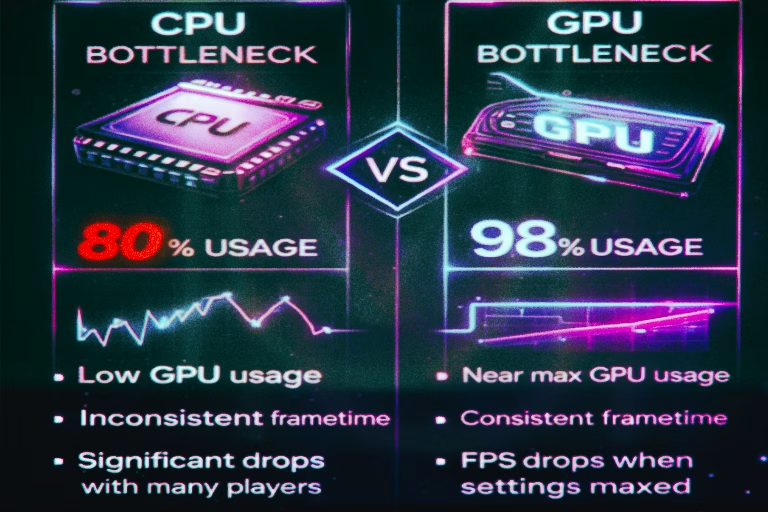
2. Identify CPU bottlenecks, not just GPU usage
Especially in competitive and multiplayer games. High-end GPUs are often held back by the CPU,.
Common signs of a CPU bottleneck:
- GPU usage below 90%
- FPS drops during intense scenes
- unstable frametime at high refresh rates
Note:
If you're gaming at 240 Hz+, IPC performance + CPU cache size is crucial.
We connect to your PC remotely, save a restore point, then work through power, drivers and input. The BIOS we go through together on a Discord call while you show us the screen with your phone. The same benchmark at the end shows how much of it landed. For six months after the session we stay with you on Discord.
3. Focus on frametime, not just average FPS
Average FPS does not tell the full story about consistent frametime.Smooth gameplay depends on it.
- Stable frametime = smooth experience
- Inconsistent frametime = stutter, even at high FPS
That's why sometimes 120 FPS looks worse than a stable 90 FPS. CS2 is a great example of this.
4. Use AI upscaling wisely
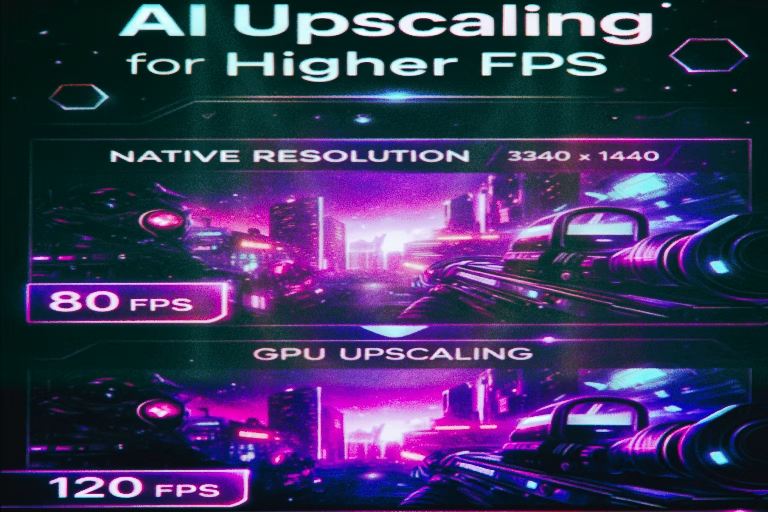
AI upscaling improves FPS by rendering at lower resolution and reconstructing the image.
- NVIDIA DLSS
- AMD FSR
- Intel XeSS
All of these allow you to render the game at a lower resolution and scale the image to native resolution. The result? More FPS with minimal loss of quality, and often they also eliminate aliasing.
Note:
Frame Generation boosts FPS numbers, but may not improve latency. Competitive players should test carefully. I would not recommend.
5. Prevent thermal throttling
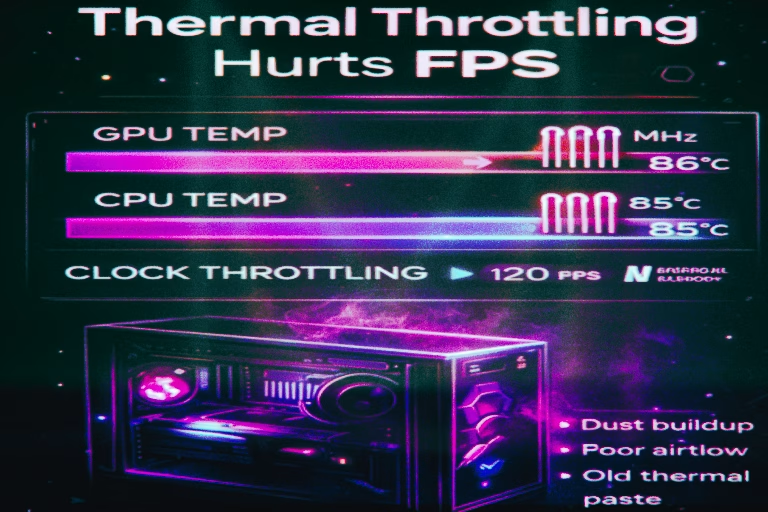
Overheating hardware reduces clock speeds automatically.
Most common problems:
- dust
- bad airflow
- old thermal paste
- too aggressive energy-saving profiles
Effect:
After improving cooling, FPS often “magically” returns to normal.
6. Reduce background system load
Browsers, launchers, overlays, and background services compete for CPU time.
For most of you it's worth to:
- test Game Mode in Windows (optional, at UltimateMove we usually leave it off)
- turn off some useless startup apps
- keep Task Manager in check to control everything
Even a few percent less CPU usage in the background can mean more stable FPS.
7. Ensure sufficient RAM capacity
In 2026:
- 16 GB RAM is minimum
- 32 GB RAM is the practical standard
- Fast timings are crucial for both Intel and AMD
- Slow RAM (MHZ) is performance killer
RAM shortages rarely lower the average FPS, but they do cause:
- microstutters
- data loading
- unstable frametime
The upside and downside is that RAM has become so expensive that you'll soon be replacing it with an RTX 5090 xD!
This means that manufacturers will take this into account when optimizing titles, so 32 GB
will be the peak for a long time.
8. Configure your monitor and sync properly
High refresh rate monitors:
- do not improve FPS
- improve motion clarity and responsiveness,
Worth to mention:
- Improvement in motion smoothness occurs in full force only as long as you are able to fill the 1% fps buffer - otherwise, a lower hz may be more pleasing to the eye.
Things to set:
- G-Sync / FreeSync
- limit FPS to stable value
Correct use of G-Sync or FreeSync often delivers smoother results than chasing maximum FPS. In E-sport titles - We don't want any form of synchronization at all!
Additionally GPU below bottleneck of 100% will shave off few ms of input lag.
9. Keep drivers and system optimized
Fresh GPU Drivers give you:
- game-specific optimizations
- scheduler improvements
- new features support
The “latest” does not always mean “the best,” but sticking to proven versions is essential.
Most people completely ignore chipset drivers which is horrendous in consequences.
10. Benchmark and change one variable at a time
The biggest mistake players make is changing everything at once.
The correct process is as follows:
- benchmark
- single change
- test again
- compare frametimes and fps
We know it's time-consuming, but that's the only way to find out what really works.
There are plenty of interesting features such as HAGS and Game mode - in UltimateMove, we tend to avoid both.
HAGS is not an ON for Nvidia, OFF for AMD rule. AMD has supported HAGS since Adrenalin 23.12.1 on RX 7000 cards, so on both brands turn it on, measure frametime and keep it only if the result is better.
So what you need?
Improving FPS in modern gaming requires a holistic approach.Hardware, software, thermals, and configuration must work together. Blindly copying settings rarely produces lasting results.
If you want a fully optimized setup without trial and error, we can handle everything for you remotely. based on our optimizations and years of experience.
In our packages of PC Optimization we focus on real bottlenecks, system tuning, and game-specific performance:
 KaRzye
Runs the research and every session at UltimateMove. FACEIT Level 10 in CS2,
Immortal in Valorant. Twenty years in BIOS, memory and drivers.
Watch him play.
KaRzye
Runs the research and every session at UltimateMove. FACEIT Level 10 in CS2,
Immortal in Valorant. Twenty years in BIOS, memory and drivers.
Watch him play.
Our free tools
Built in house. No account, no limits.
 Ultimate Demo Analyzer
Upload a CS2 demo and get your mistakes and round stats written out.
Free, no account Deadlock Replay Analyzer
The same for Deadlock: a replay breakdown and a plan for the next matches.
Free, no account Sensitivity Converter
Carry your cm/360 between games without losing muscle memory.
Free, no account Aim Trainer
Thirty seconds, three levels. No install, no account.
Free, no account