
CS2 on 9800X3D / 9950X3D - Low FPS? Reddit Study
Low FPS in CS2 on AMD 9800X3D and 9950X3D processors is a problem that comes up every day on Reddit, but it is not the hardware's fault. The Ryzen 7 9800X3D and Ryzen 9 9950X3D are among the best gaming processors. The Ryzen 7 9850X3D from January 2026 is slightly faster, giving 3-5% more FPS than the 9800X3D in PCGamesN tests.
You Are Right - Something's not Right!
If you have one of these "beasts" and your FPS is struggling to stay consistent, you aren't alone. A recent thread on Reddit has highlighted a growing number of complaints where users with high-end setups (including RTX 3080, 4070, 4080, and even the 4090) are seeing performance that doesn't match their hardware's potential.
- 300-450 FPS on average. 1% lows in the 120-150 range.
These are the results on a processor that should deliver completely different performance.
The problem is real-Reddit confirms it
- 9800X3D + RTX 3080 - Users are reporting FPS numbers that are far from what they should be
- 9800X3D + RTX 4070/4080 - 1% lows, stuttering in ranked matches
- 9950X3D + RTX 4090 - even with a flagship GPU, the performance doesn't live up to the hardware's class
This isn't a problem affecting just one user. It's a systemic issue with Windows and BIOS configurations for AMD X3D processors that affects a huge number of people.
We connect to your PC remotely, save a restore point, then work through power, drivers and input. The BIOS we go through together on a Discord call while you show us the screen with your phone. The same benchmark at the end shows how much of it landed. For six months after the session we stay with you on Discord.
Why it happens?
AMD's X3D processors are legendary for gaming, but they require specific optimizations to shine in CS2. Common culprits include:
- BIOS - C-States, PBO, RAM (EXPO/XMP)
- Windows Power Plans that aren't "Game Mode" friendly.
- Graphics driver conflicts or "hidden" settings.
- CS2-specific configuration files that might be limiting performance.
The default Windows installation and default BIOS settings drastically limit the performance of X3D processors.
What we do differently
Our optimization process goes beyond the basics. We dive deep into:
BIOS Optimization
- Fine-tuning voltage, memory timings, and X3D-specific features.
- C-States tuning - the processor quickly comes out of idle mode➢ without any loss of performance
- EXPO/XMP profile plus ręczne timingi RAM
- Core Performance Boost and core parking: the AMD 3D V-Cache Performance Optimizer driver and Game Bar (9950X3D)
Windows Optimization
- Removing bloatware and unnecessary services
- Configuring Power Plans for Esports Gaming
- Disable Fullscreen Optimizations (eliminates DWM input lag)
- Shader cache optimization - Source 2 compiles shaders on the fly
GPU & CS2 Configuration
- NVIDIA Reflex / AMD Anti-Lag 2 - CPU-GPU synchronization at the sub-tick level
- Shadow, particle, and HDR settings - striking a balance between visibility and FPS
- Launch options - minimal and precise (Source 2 has its own scheduler)
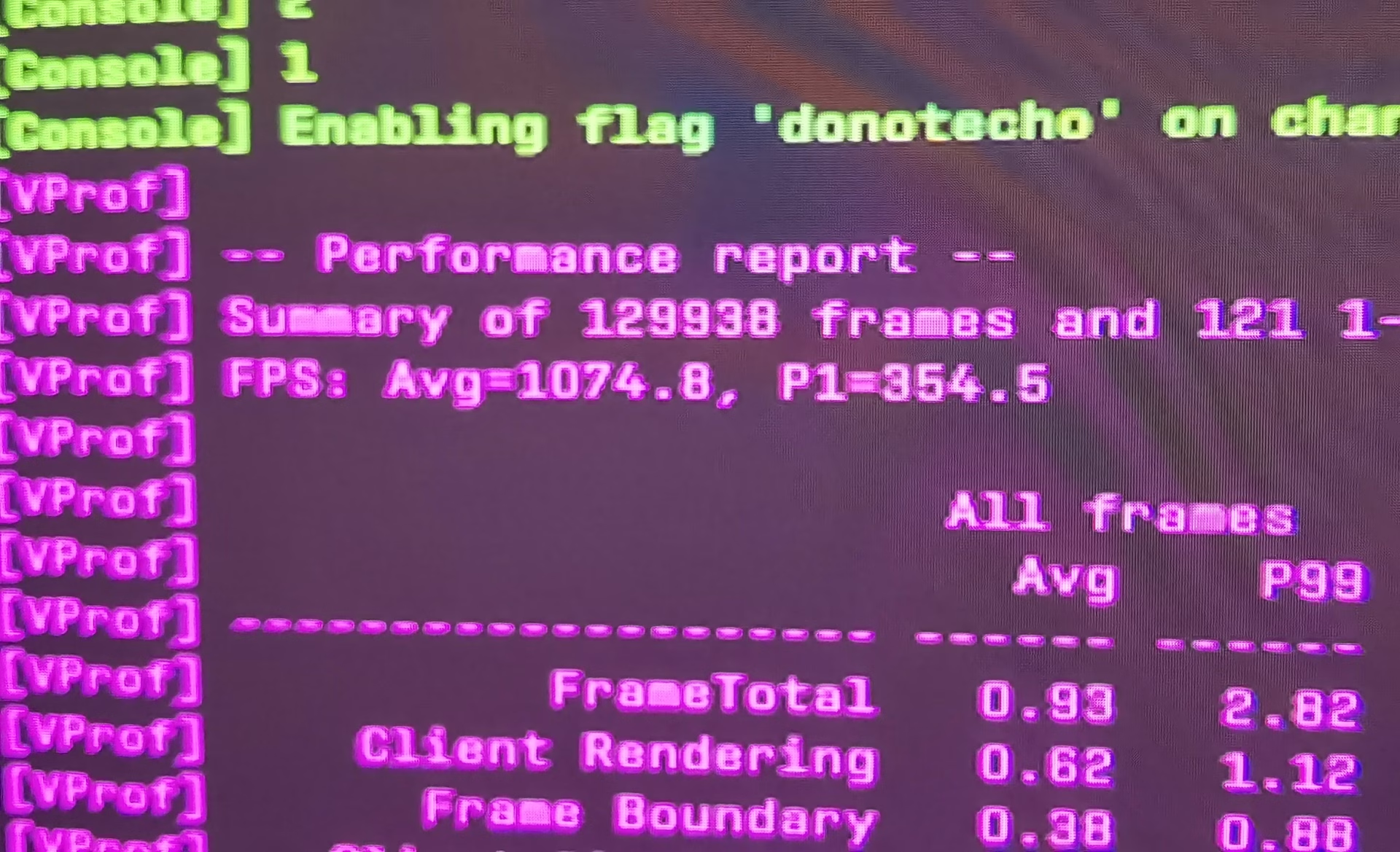
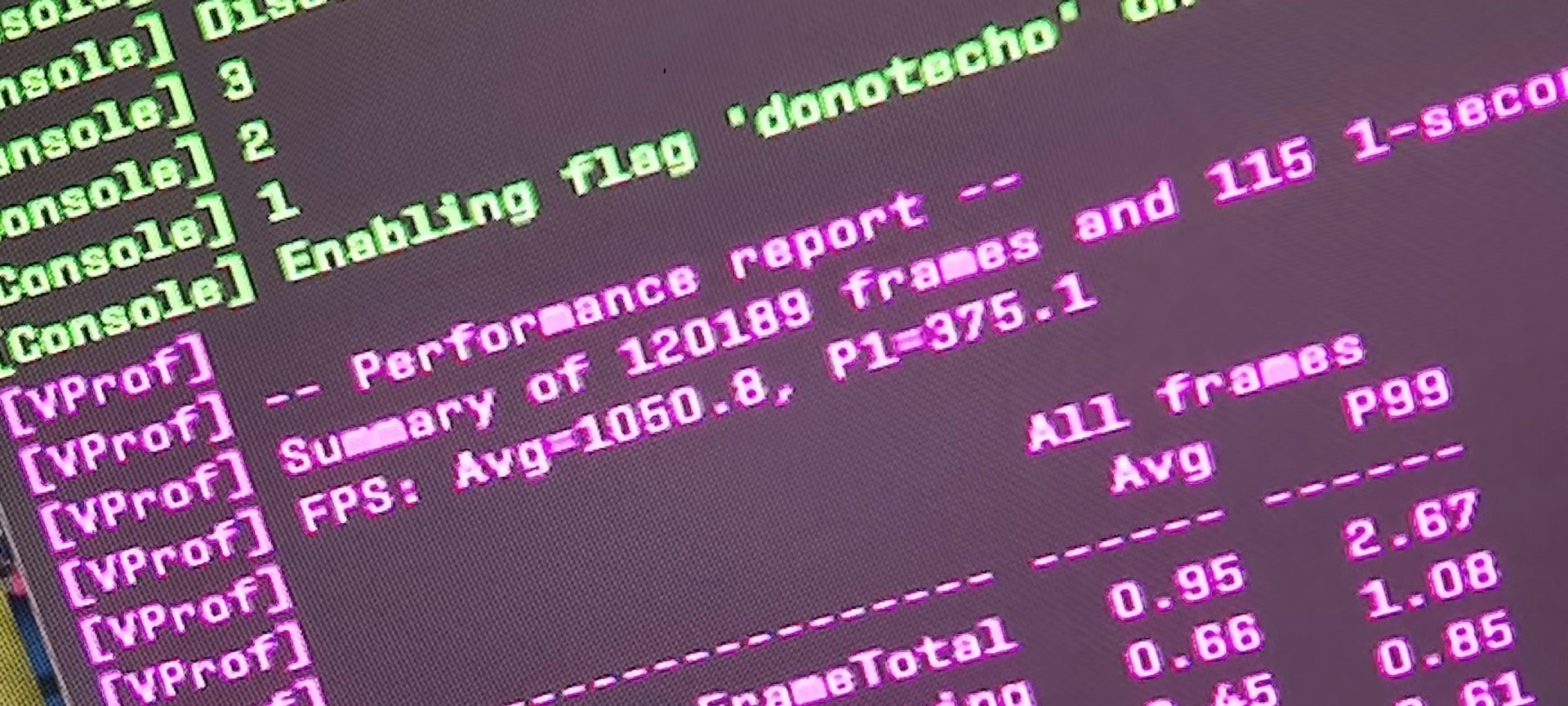
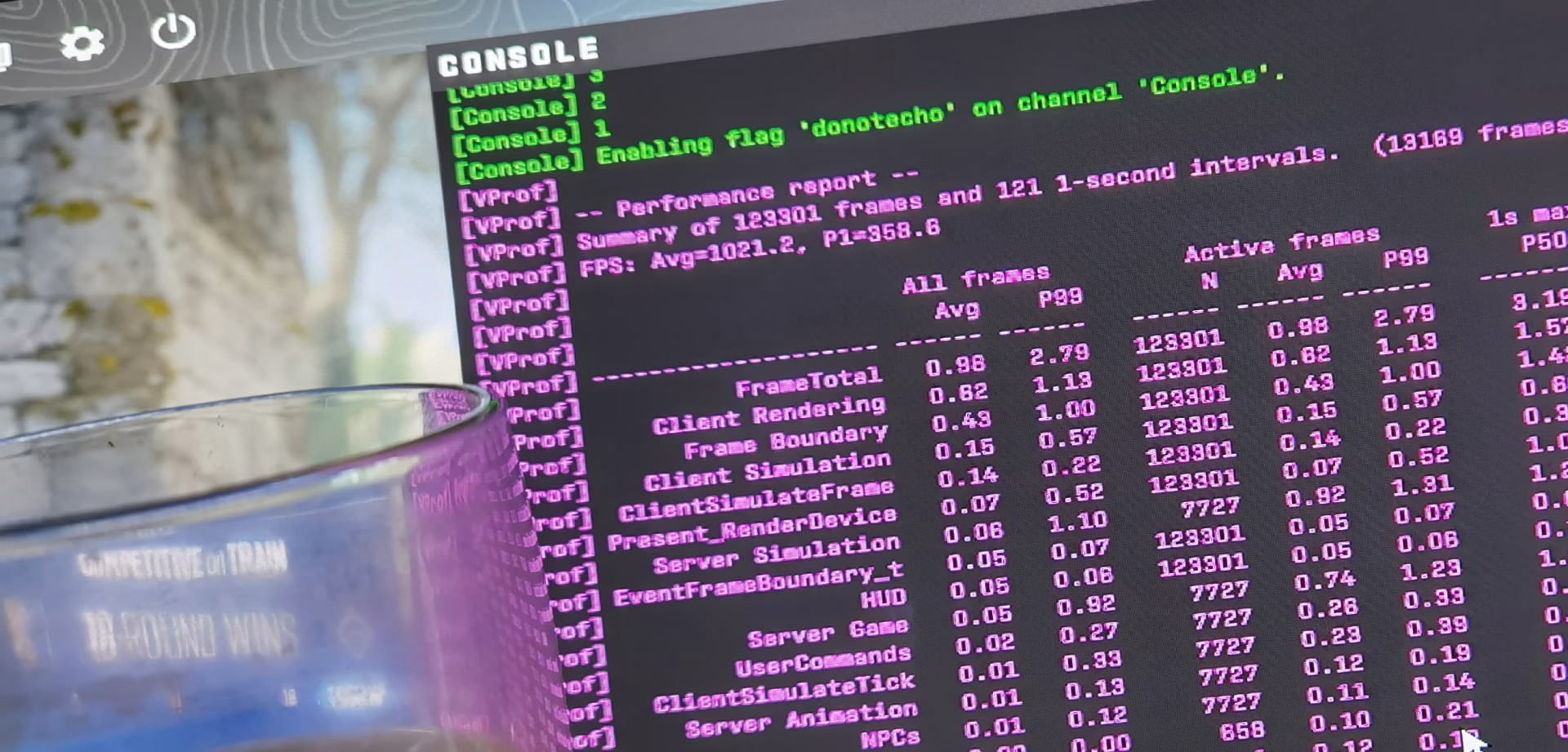
The results speak for themselves
| CPU | Before optimization | After optimization |
|---|---|---|
| Ryzen 7 9800X3D | ~350-450 FPS avg / 150 1% low | 1000+ FPS avg / 300+ 1% low |
| Ryzen 9 9950X3D | 300-400 FPS avg / 120 1% low | 1000+ FPS avg / ~300+ 1% low |
These aren't theoretical benchmarks from YouTube. These are real results from customers, measured on their own systems before and after our remote optimization.
The difference is 2x-3x in average FPS and 2x+ in 1% lows. That’s the difference between “it’s playable” and “you have an esports advantage.”
Why can't you do it yourself?
- 90% of guides are just general guidelines - you disable services you don't understand
- Every setup is different - what works on an RTX 4070 + B650 may not work on an RX 7800 XT + X670E
- BIOS tuning requires expertise - incorrectly configured PBO on the X3D can destabilize the system more than it helps
- The Source 2 engine is unique - old CS:GO tips often backfire in CS2
How does our service work?
- Scanner - We're Checking Your Configuration
- Pre-benchmark - we measure FPS in CS2 (average plus 1% of the low)
- Remote Optimization - BIOS, Windows, GPU, CS2 Configuration
- Post-benchmark - we show the measured difference
For complete information, visit: https://ultimatemove.eu/en/pc-optimization/
FAQ
Yes. Our optimization covers the entire AMD lineup featuring 3D V-Cache technology: 5800X3D, 7800X3D, 7950X3D, 9800X3D, 9950X3D, and newer models. The optimization principles are similar, but the details vary depending on the generation and motherboard.
Yes. We don't do aggressive overclocking or anything that could damage the hardware. We operate within the manufacturer's specifications, carefully fine-tuning the BIOS and operating system settings. Every change is reversible.
The default Windows and BIOS configuration is designed for “general use”, not esports gaming. X3D processors have a specific architecture with 3D V-Cache that requires precise thread scheduling and power management. Without it the processor runs at a fraction of its potential in games like CS2, which use multiple cores but depend mainly on main-thread performance.
Will optimization also help with other games (Valorant, Deadlock)? Yes. System optimization affects all esports games. In Valorant and Deadlock, customers report similar improvements-higher average FPS, more stable 1% lows, and lower input lag.
So what you need?
Do you have a 9800X3D/9950X3D and low FPS in CS2? That's not normal. Contact us for optimization.
 KaRzye
Runs the research and every session at UltimateMove. FACEIT Level 10 in CS2,
Immortal in Valorant. Twenty years in BIOS, memory and drivers.
Watch him play.
KaRzye
Runs the research and every session at UltimateMove. FACEIT Level 10 in CS2,
Immortal in Valorant. Twenty years in BIOS, memory and drivers.
Watch him play.
Our free tools
Built in house. No account, no limits.
 Ultimate Demo Analyzer
Upload a CS2 demo and get your mistakes and round stats written out.
Free, no account Deadlock Replay Analyzer
The same for Deadlock: a replay breakdown and a plan for the next matches.
Free, no account Sensitivity Converter
Carry your cm/360 between games without losing muscle memory.
Free, no account Aim Trainer
Thirty seconds, three levels. No install, no account.
Free, no accountKeep reading
 Gaming Research
Intel APX in Windows 11: what the new toggle does and when it speeds up games
2026-10-26·4 min read Gaming Research
Intel or AMD for gaming in 2027: buy now or wait for Nova Lake and Zen 6
2026-10-26·4 min read Gaming Research


