Lamzu Maya Review: Three Years | FACEIT Level 10 | Honest Conclusion
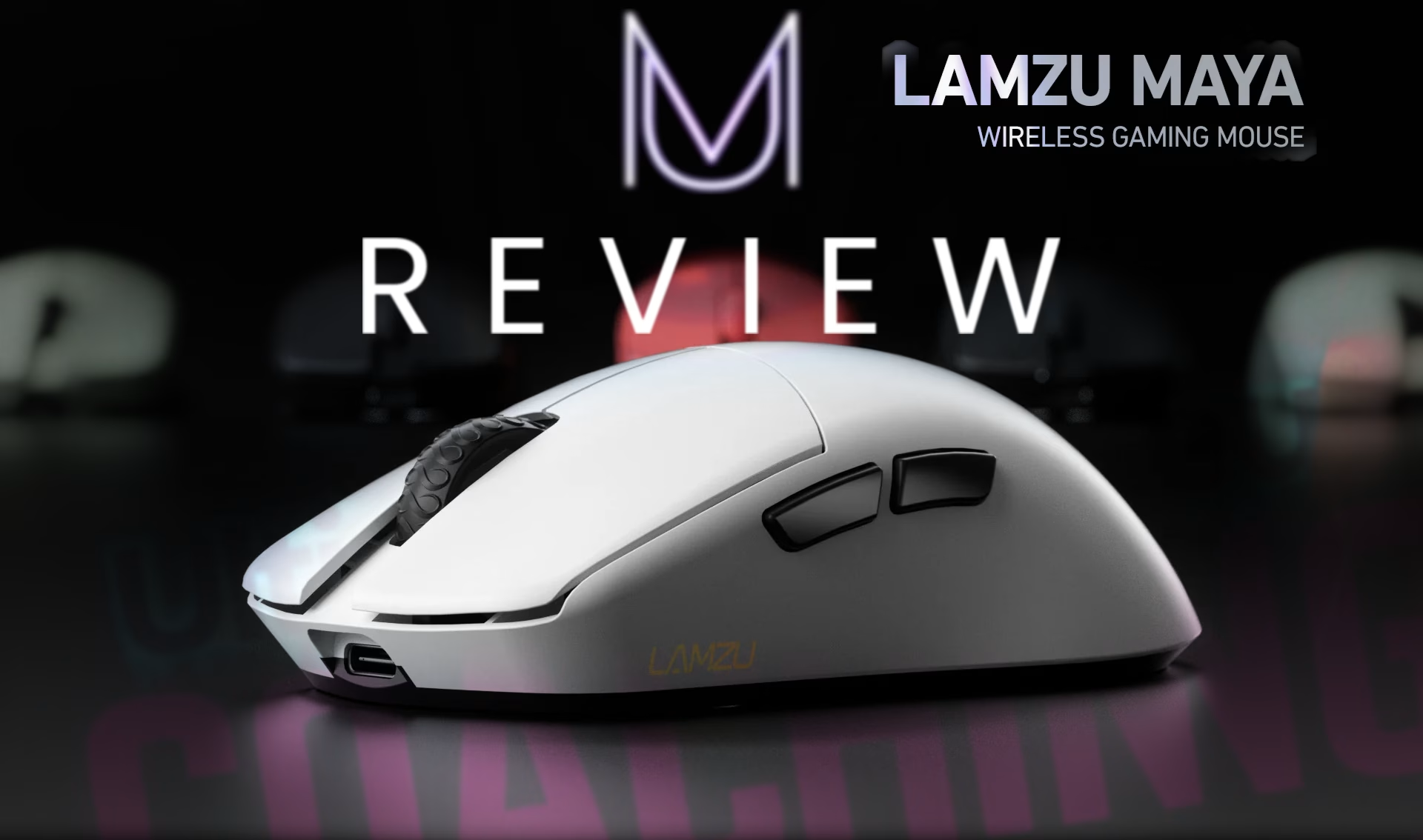
Almost three years with the same mouse. 55 games to FACEIT Level 10. Hundreds of hours in CS2, Valorant, Deadlock, LoL and everything in between. That's the context behind this review - not a week of bench testing, not a spec comparison article. Real, long-term use by someone for whom setup consistency and input predictability are non-negotiable for playing at a high level.
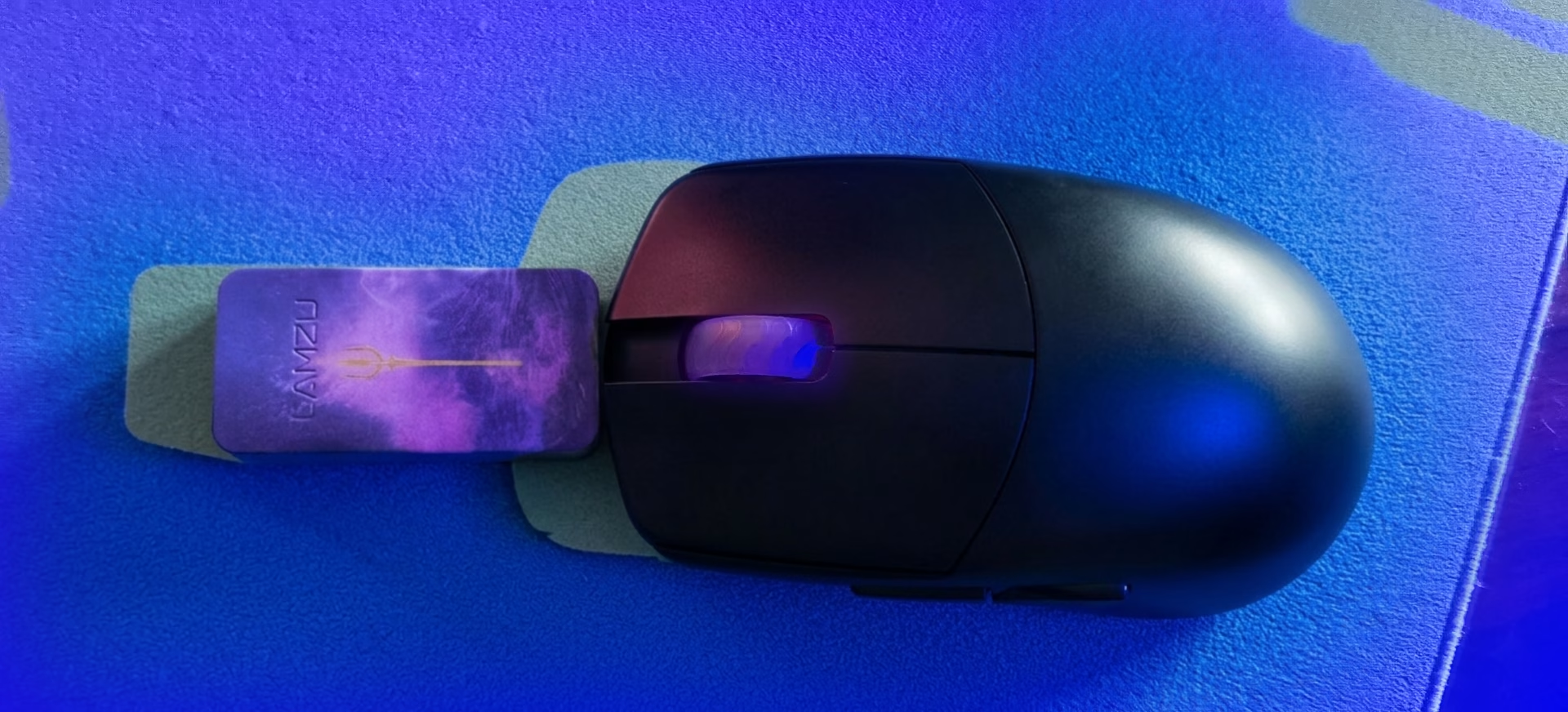
The Lamzu Maya - my entry into the world of lightweight wireless mice. Before it, I ran a Pulsar X2 - a solid mouse, but with one significant downside: it forced my hand into a specific position. The Maya doesn't do that. And almost three years later, I still think that's its most important thing in mouse - it's shape.
One thing before we start: this is the original Maya with the 4K dongle purchased separately. If you're looking at the Maya X or Champion Edition - those are slightly different, newer mice with the same DNA.
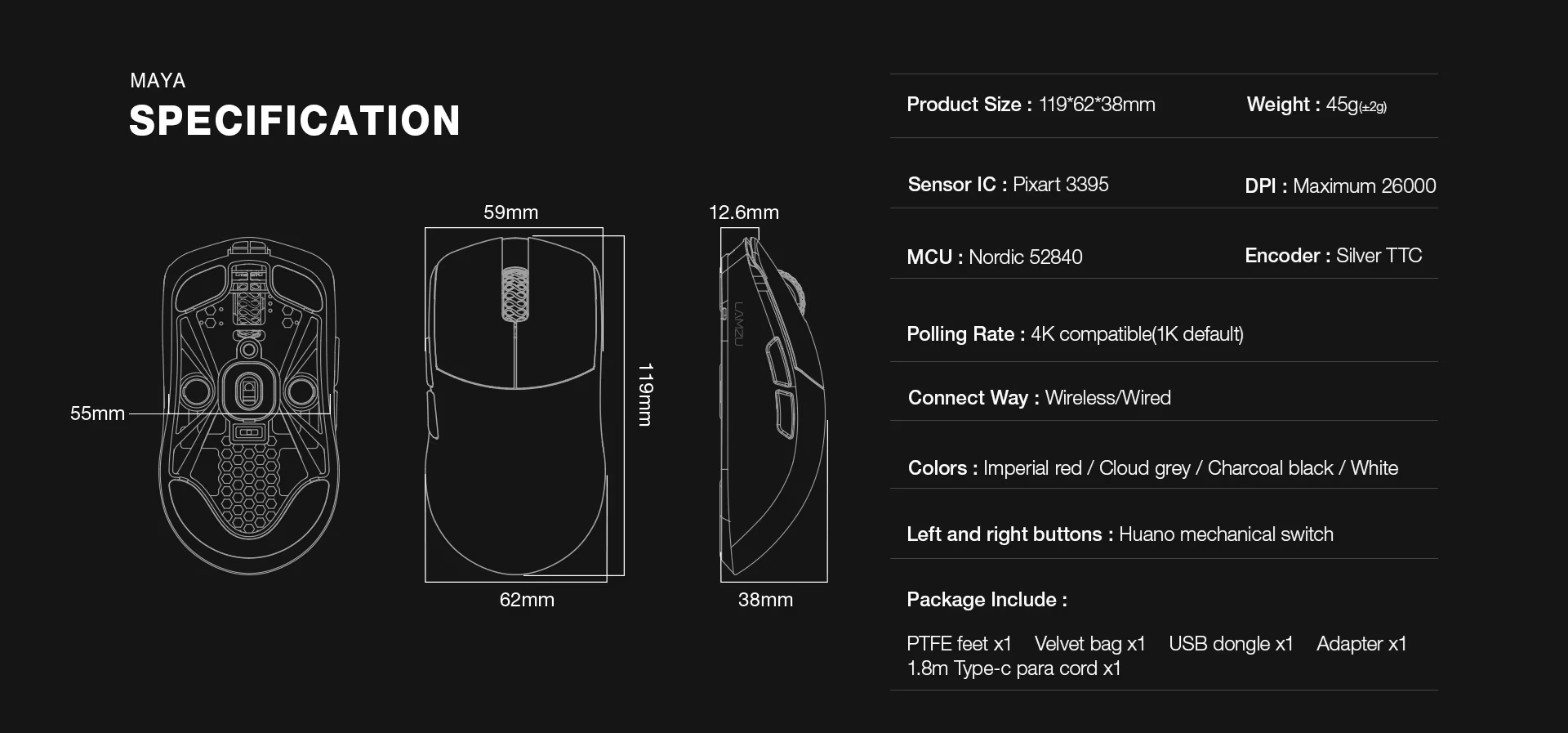
Specifications - Original Maya (OG)
Sensor: PixArt PAW3395, do 26 000 DPI, 650 IPS
Weight: 45 g wg producenta, ok. 47 g w pomiarze TechPowerUp
Dimensions: 119 x 62 x 38mm
Switches: Huano mechanical (blue shell, pink dot)
Scroll Encoder: TTC Silver
Polling rate: 1000Hz stock, up to 4000Hz with 4K
Battery: ~70 hours on 1K polling
Connection: 2.4GHz wireless + USB-C corded
Grip Styles: claw, fingertip, palm
Shape and Grip - The Main Reason to Buy This Mouse
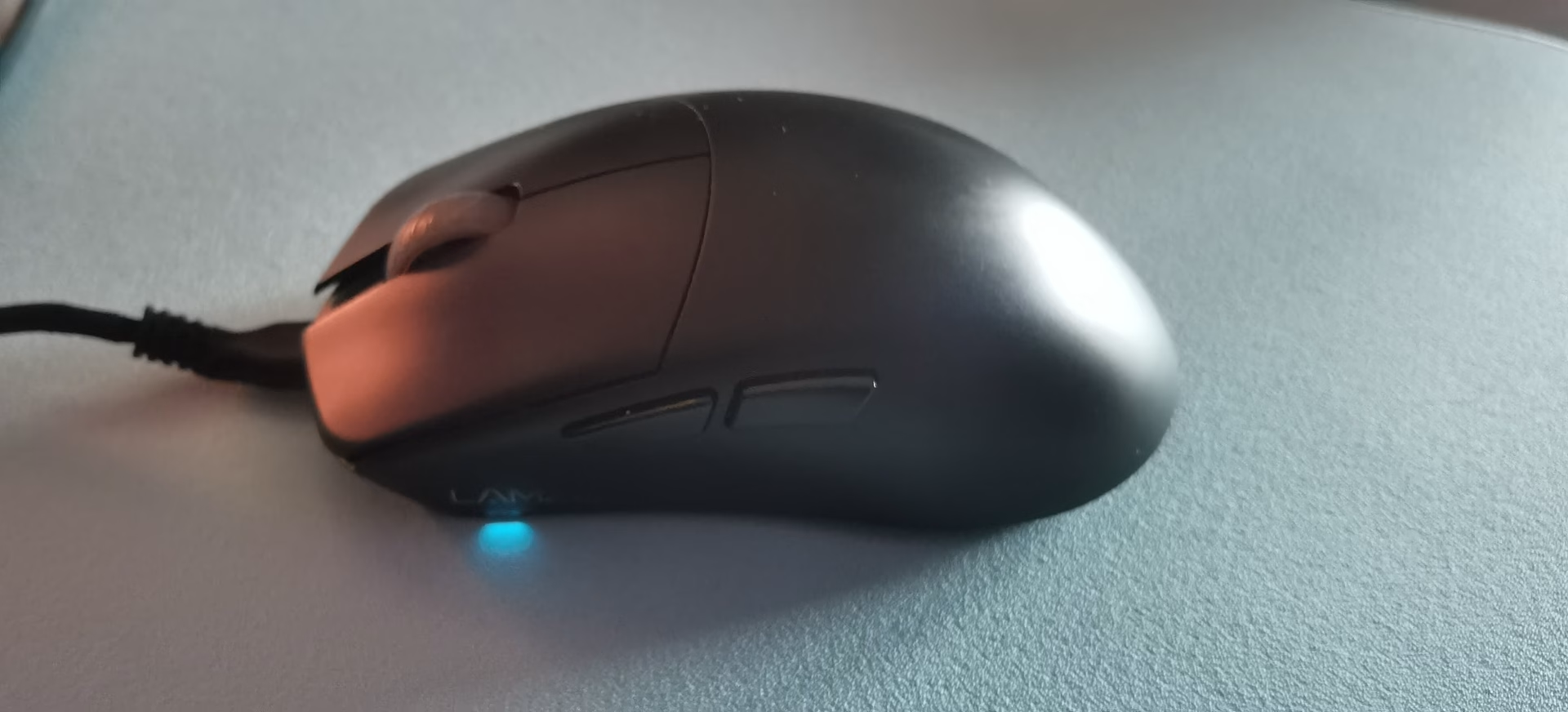
The Maya's shape is a centered hump, symmetrical design, nicely profiled sides. Nothing ground breaking on paper. In hand it's exactly what it should be - it doesn't restrict.
My previous mouse, the Pulsar X2, has pronounced constraints and defined side walls that push your hand into a specific grip regardless of what you want. It's a great shape for certain hands, but for me it created a sensation I can only describe as being squeezed into a position. The Maya eliminated that completely.
The centered hump means your palm can sit further back for a loose palm, arch into a proper claw, or relax into a fingertip - without any friction or physical blocks from the mouse itself. What makes this genuinely useful across different games: the grip you'd naturally use in CS2 (more controlled, precise micro-adjustments) is different from what you reach for in Deadlock (faster flicks, three-dimensional movement tracking). With the Maya, switching between those modes is natural. You don't have to think about it - the mouse just adapts.
For pure claw grip specifically: the centered hump placement means your fingertips land at a natural angle and your palm makes contact exactly where it should. Zero awkward stretching toward the buttons, zero dead space under your ring finger. It just fits. That's the killer feature of this mouse.
We connect to your PC remotely, save a restore point, then work through power, drivers and input. The BIOS we go through together on a Discord call while you show us the screen with your phone. The same benchmark at the end shows how much of it landed. For six months after the session we stay with you on Discord.
Weight - Still in the Top Tier
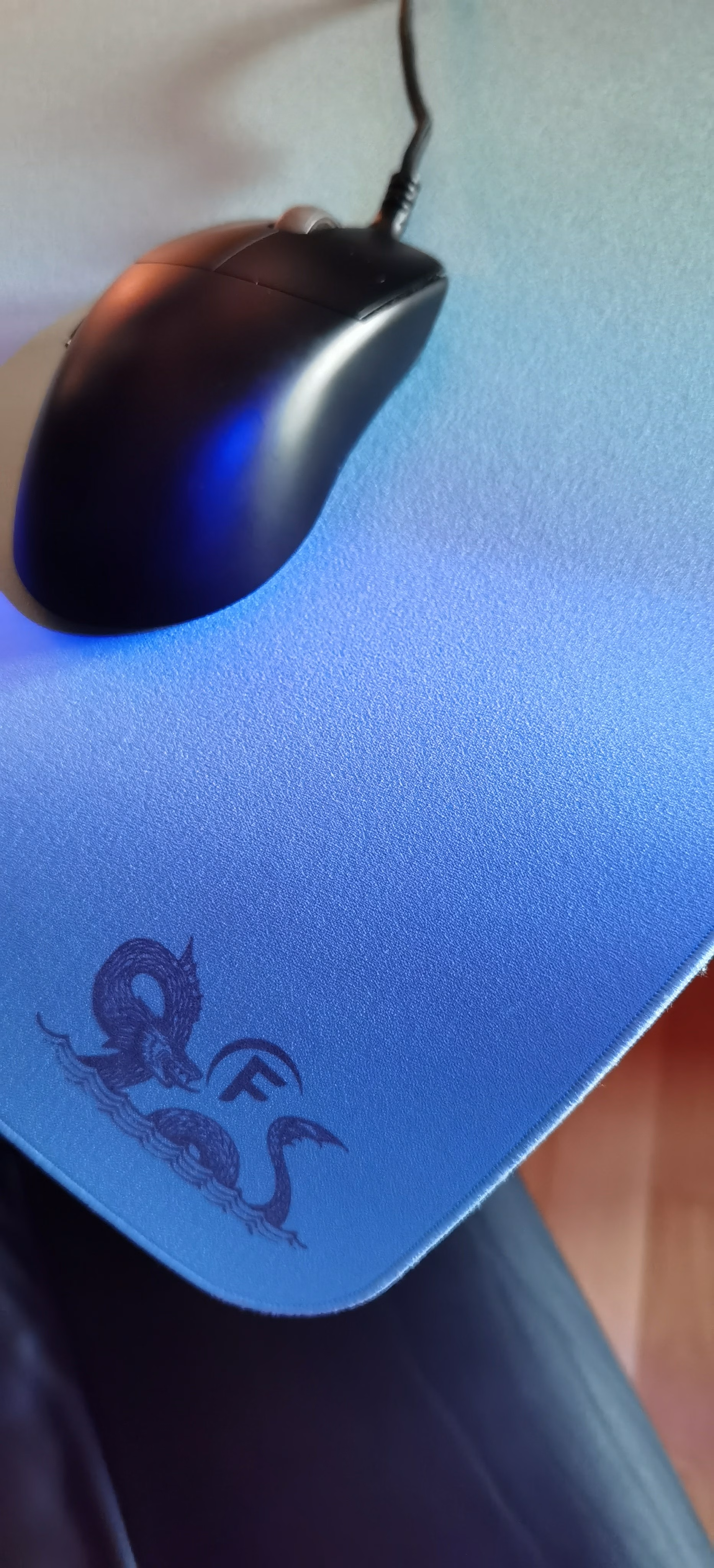
~47 grams. When the Maya launched, that was a genuinely exceptional number. Three years later it's still in the upper tier of lightweight mice. Most models that have pushed below 40g since then do it through honeycomb shells or compromises in battery or build consistency - the Maya achieves ~47g with a solid shell and no visible holes.
Weight distribution is slightly front-heavy due to the centered hump and the absence of parts like buttons and scroll wheel in the rear section, which some players prefer for tracking stability. For me it was neutral enough not to interfere with either flicking or controlled movement. After long sessions - and I mean sessions where I was grinding toward FACEIT 10, not casual play - no wrist fatigue. That's the real test of weight: not how it feels in the first minute, but whether your wrist protests after a few hours - though that also depends on your grip.
Sensor & polling rate
The PAW3395 in 2026 is still a fully competent sensor. It's not the latest generation - the PAW3950 has replaced it in Lamzu's own lineup - better on paper, though I haven't had a mouse with it yet. Recently there have been posts about poor implementation in some mice with the 3950, with reported "floatiness" or inconsistent tracking, particularly on small adjustments.
The 4K dongle situation deserves an honest assessment. I bought it separately about a year into ownership. Was it worth it? Yes - but it shouldn't have been an upsell at all. If you're selling a mouse that supports 4K polling, the 4K dongle should be in the box. Newer products understand this. Lamzu fixed it in later models, but on the original Maya it was a frustrating decision that added cost to an already premium-priced product. That said, once I had it, the improvement was noticeable in feel if not in raw measurements - inputs feel tighter, especially in fast-paced scenarios where polling rate actually matters.
At 1K polling the mouse performs identically to every other competent mouse at 1K polling - it's been the standard for years so there's not much to say. That's not a criticism - higher polling is simply better, though there are exceptions that can stem from hardware limitations or personal preference. More on this in an upcoming article about Polling Rate here on UltimateMove.
Switches & Scroll
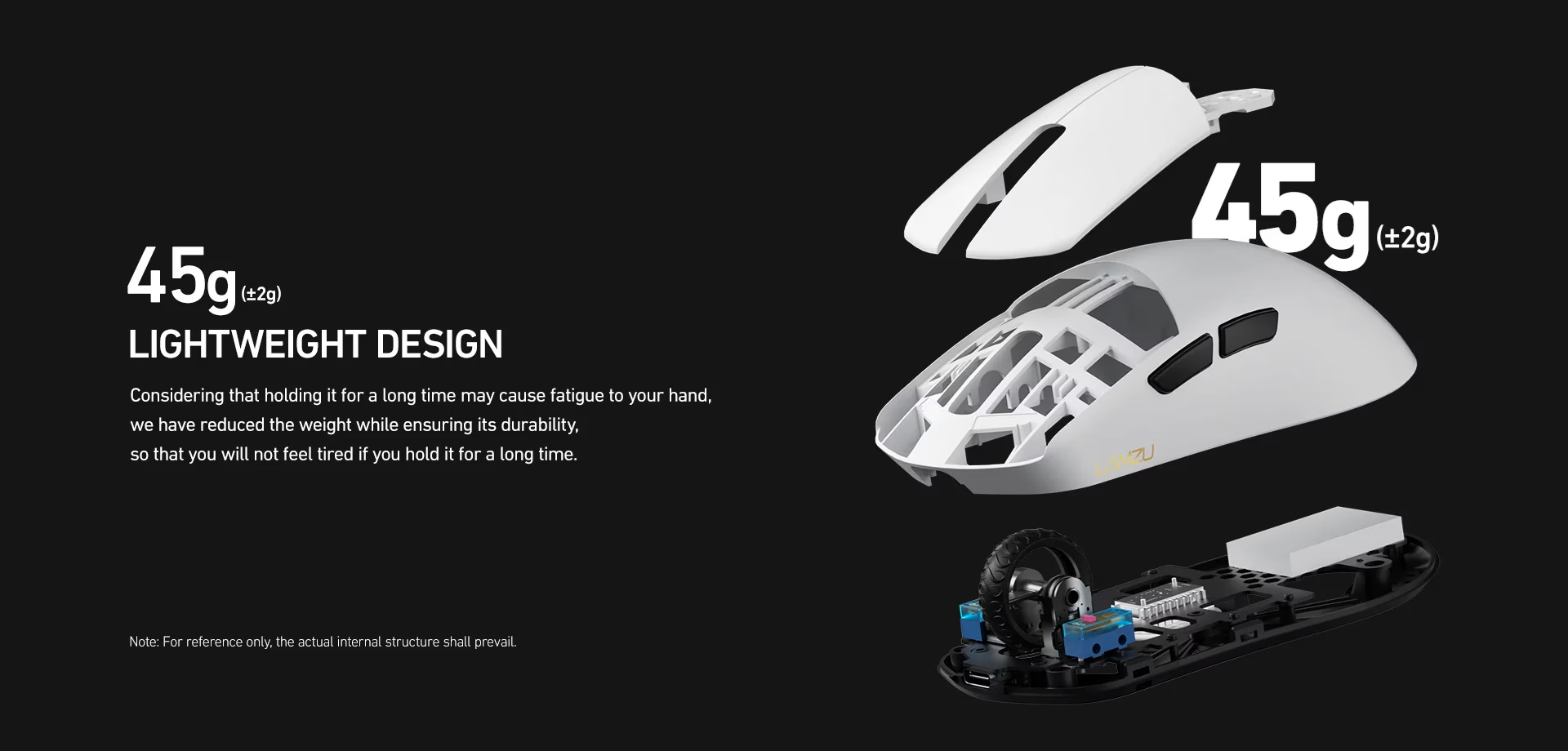
The Huano mechanical switches are satisfying. They have clean actuation with MINIMAL (seriously, ultra-tiny) pre-travel and a distinct bottom-out that gives confidence with every click. In CS2 and Valorant specifically - where a misclick at a critical moment has real consequences - that tactile certainty matters. After three years the main buttons still feel identical to day one. That said, debounce time at 0ms can occasionally cause a double-click.
The TTC Silver scroll encoder is where I have to be honest about long-term durability. After approximately three years of daily use - including competitive gaming and everyday computer work - the scroll has started behaving inconsistently. Cleaning helped marginally but didn't resolve the issue. This is a known weakness of the original Maya. Later revisions and the Maya X supposedly addressed this with a dust-proof encoder. If you're buying the original model secondhand or finding old stock - know that the scroll is the component most likely to give out first.
Battery
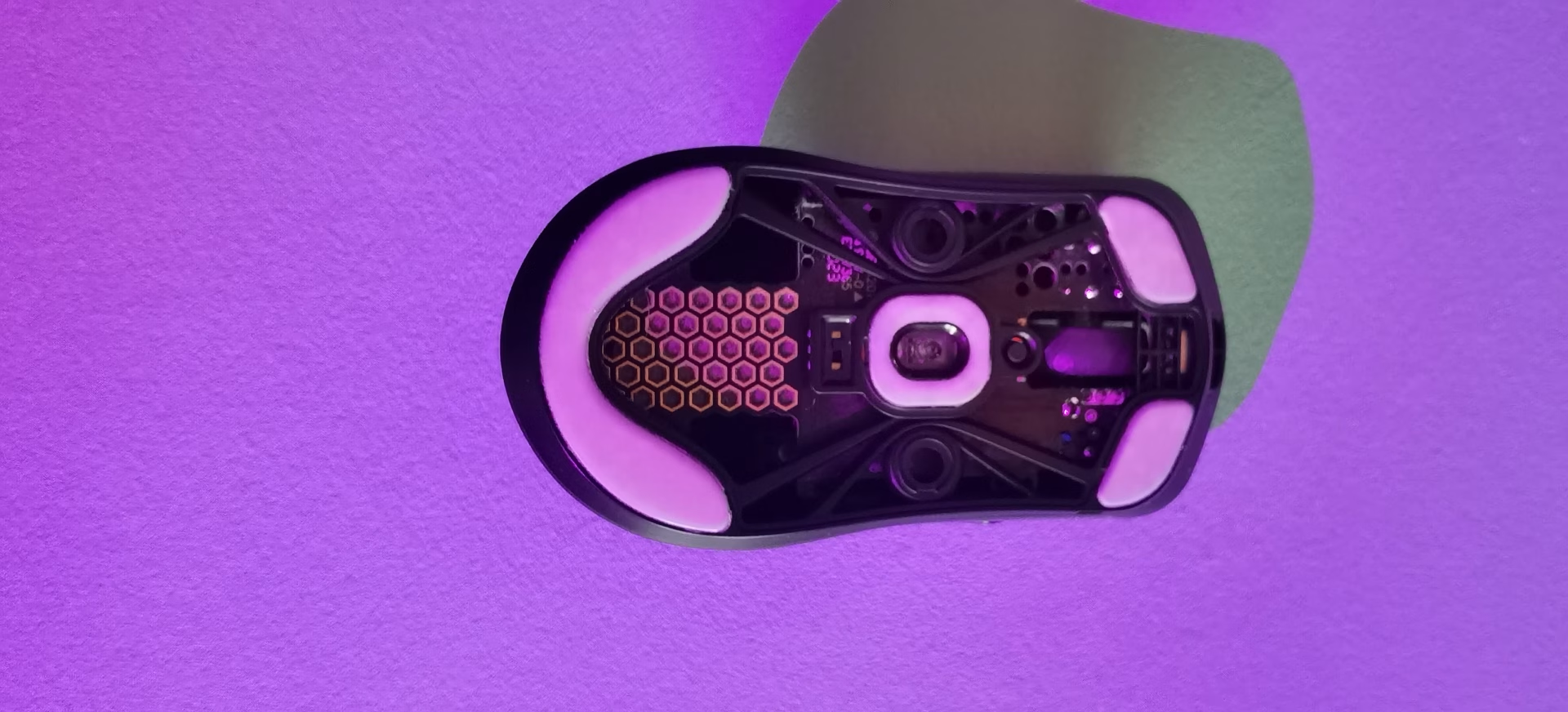
At 1K polling, battery life is genuinely good. I rarely thought about charging. At 4K polling with the dongle it drops noticeably - one day of gaming at most and it needs charging. Still manageable with regular overnight charging, but worth knowing if you're planning long sessions. Wired mode through USB-C works perfectly if you need to charge and play simultaneously, though the included cable is on the stiffer side.
For Every Game, Every Use Case
The Maya didn't need to surprise me - before buying it I already knew it would be great across multiple genres. Nothing less was expected.
In CS2 and Valorant the precision and click confidence translate directly into gameplay. In Deadlock the light weight and grip flexibility handle the faster, more dynamic movement system well. In LoL - where you're clicking constantly for hours - the comfortable shape and light weight prevent fatigue in a way that heavier mice simply don't. And for everyday computer use, the shape is neutral enough that you never feel like you're holding a gaming peripheral. It just feels like a good mouse. There's no RGB for the kids, which would add weight - the only thing that lights up is the charging indicator and the low battery warning blink.
That versatility is harder to achieve than it looks. Most ultra-lights are designed around a specific FPS use case and feel awkward for everything else. The Maya threads that needle well. It all comes down to hand shape and how well the mouse matches it.
Honest Summary After Three Years
FACEIT Level 10 across 55 games. Hundreds of hours of ranked, single-player, casual, and everything in between. The scroll encoder is starting to show its age, which is pushing me toward something new - a shame, but I'm waiting for something interesting. The G-Wolves Lycan is on the horizon, looks promising - who knows, maybe a review will appear here soon.
What Lamzu got right with the Maya is the shape philosophy: a mouse that works with your hand instead of dictating to it. The centered hump, flat sides, ~47 grams - these weren't marketing decisions, they were genuine design choices that hold up through real, long-term use. It's also great that the package includes an extra set of skates that are actually decent here - you won't feel like throwing the mouse out the window. Additionally, you get two dot-shaped skates that can be placed on either side of the sensor - for anyone who wants extra traction or feedback from their mousepad.
The 4K dongle situation was a scam and I'm glad the industry moved away from it. Scroll encoder longevity is a real weakness. Neither of those things changes the fact that for three years it served as intended for competitive gaming. Updating the mouse firmware could be slightly less complicated and not require installing drivers - but that's genuinely nitpicking at this point.
Who should consider this mouse: Players with small to medium hands who claw grip, use multiple grip styles, or want a mouse that doesn't force a specific hand position. Players transitioning from larger, heavier mice who want to understand what ~47g actually changes about their aim. Players considering the Maya X or newer Lamzu models - the shape DNA is the same, the internals are improved. If you want to save money, it's still a solid proposition - as you can see, it lasts.
Who should look elsewhere: Players who need the latest sensor generation. Players who scroll heavily and want guaranteed longevity. Players with larger hands who need more surface area for palm grip.
THIS REVIEW IS NOT SPONSORED. All impressions and opinions are expressed based on real personal experience.
 KaRzye
Runs the research and every session at UltimateMove. FACEIT Level 10 in CS2,
Immortal in Valorant. Twenty years in BIOS, memory and drivers.
Watch him play.
KaRzye
Runs the research and every session at UltimateMove. FACEIT Level 10 in CS2,
Immortal in Valorant. Twenty years in BIOS, memory and drivers.
Watch him play.
Our free tools
Built in house. No account, no limits.
 Ultimate Demo Analyzer
Upload a CS2 demo and get your mistakes and round stats written out.
Free, no account Deadlock Replay Analyzer
The same for Deadlock: a replay breakdown and a plan for the next matches.
Free, no account Sensitivity Converter
Carry your cm/360 between games without losing muscle memory.
Free, no account Aim Trainer
Thirty seconds, three levels. No install, no account.
Free, no account